Start here
Templates to learn from
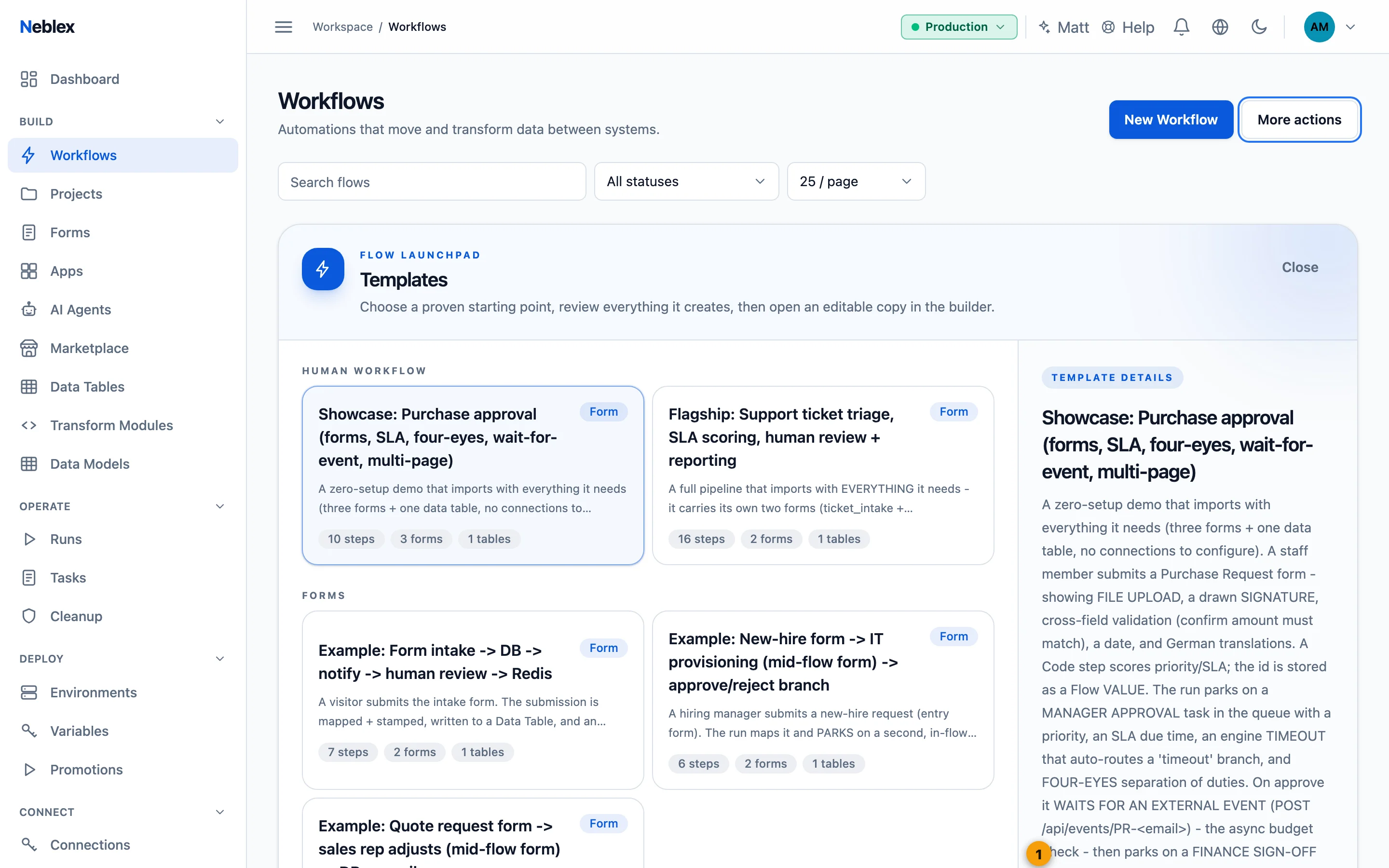
On Workflows, Start from Template opens a gallery of complete, working examples. Each card shows what the template does and what it needs; Install adds the flow together with its forms, data tables and connection placeholders. Installed items never contain credentials: open each connection placeholder and enter your own.
| Template | Category | What it teaches |
|---|---|---|
| Showcase: Purchase approval | Human workflow | Needs no connections. File upload, drawn signature, cross-field validation and translations on a form; a Code step that scores priority; a manager approval task with SLA, timeout branch and four-eyes rule; waiting for an external event; a finance sign-off; a multi-page journey. |
| Flagship: Support ticket triage | Human workflow | Intake form, SLA scoring in Code, a data table, a Redis cache, conditional human triage, branches that merge, a confirmation email, and a parallel report exported to Excel and CSV. |
| Form intake -> DB -> notify -> human review -> Redis | Forms | Store a submission, notify a team, then pause for a review form. |
| New-hire form -> IT provisioning -> approve/reject branch | Forms | Two human forms in one flow and branching on the second form's result. |
| Quote request -> sales rep adjusts -> DB + email | Forms | Present data mid-flow, let a person edit it, and send it on. |
| Webhook -> map -> Data Table, with a high-value branch | Integration | Webhook input, mapping, table insert and a conditional email. |
| Poll Postgres -> dedup -> Redis cache | Integration | Polling with a cursor, removing duplicates and caching. |
| Postgres to Excel + CSV | Data movement | Query, transform, write .xlsx and .csv, read the CSV back. |
| Daily Postgres digest -> Excel -> email | Data movement | Scheduled reporting with an attachment. |
| Provision pgvector RAG on a Unix PostgreSQL host | AI and knowledge | Preparing your own vector database for knowledge search, run once with approval. |
Showcase walkthrough. After installing Showcase: Purchase approval: publish its three forms, set the flow Active, submit the Purchase Request form, approve the Manager approval task in Tasks, then release the budget check by opening the waiting run's flow and using Send event now on the Wait for event step. Approve the Finance sign-off task to finish. Reject at either step, or let the manager task time out, to see the other paths.
- Install adds the flow with its forms, tables and connection placeholders.