Govern
On-Prem Workers
Some systems live behind your firewall. An On-Prem Worker is a small program you run on a machine inside your network. Flows assigned to it execute there, next to your private systems, and report every step back to your workspace. A Worker connects out to Neblex and accepts no connections from the internet; the only connections it accepts come from the other members of its own cluster, on the port you choose for that cluster.
Built to be safe. Each Worker has its own cryptographic identity tied to your workspace. It connects out over an encrypted channel, it is bound to the machine a person approved, and you can block or remove it at any time. Everything it keeps on the machine is encrypted with keys kept in the strongest place the machine offers: the machine's TPM on Windows and Linux when there is one (on Linux the Worker's account must be root or a member of the tss group), otherwise Windows data protection on Windows, or a key file only the Worker's account can read. A key kept in the TPM never leaves the chip, so a copied disk, backup or machine image cannot open it. The On-Prem Workers page shows which protection each Worker uses and what it covers. Keep the machine's disk and backups encrypted as well. Workers have no outbound restrictions of their own: they reach whatever that machine can reach, so place them where they need to be.
Containers and Kubernetes are not supported yet. Run the Worker directly on a server or virtual machine. A Worker in a container can lose its identity and its stored work when the container moves or is recreated.
The On-Prem Workers page
Govern › On-Prem Workers shows fleet tiles (Workers online, clusters available, running jobs, queue age, control alerts), your clusters, and the Worker inventory with status (Active, Pending, Blocked, Revoked, Offline), capacity, platform and actions. Release notes describes each Worker version. A Worker's row can also show:
| On the row | What it means |
|---|---|
| Outdated | A newer release is available for its platform. It keeps working; update it when it suits you. |
| Update required | It runs a release Neblex no longer accepts. It gets no new work and keeps running its flows as if Neblex were unreachable until you update it. |
| Security update required: reason | Neblex raised the lowest release every Worker must run, for the security reason shown. The Worker gets no new work until it is updated. |
| Must be enrolled again | It was disconnected while its security keys were replaced. Get an enrollment code and enter it on its machine. |
| Syncing N of M offline runs | It reconnected and is handing over the runs it ran while disconnected. |
| Clock off by N min | The machine's clock is far from the correct time. Schedules keep the correct time anyway; turn on the machine's time synchronization. |
| N runs need recovery | Runs whose outcome the Worker could not report. Open the run to see what is known and resolve it. |
| Disk line | Free disk, the space kept free for the host, the most one run may hold, and how many more runs fit. A Worker with no room left accepts no new runs; it never fills the disk. |
| Reached by its cluster members at | The addresses and port the other members of its cluster use to reach it, as the member reports them. |
| Member port message | The member cannot open its cluster's member port: another program uses it, the machine does not allow it for the Worker's account (choose a port above 1024), or the Worker log says why. |
The Host sizing guide explains how the Worker shares CPU, memory, disk and network with other programs on the host. It runs as many jobs as the machine's memory allows and runs them faster with more cores, slowing down under load rather than failing. A host needs at least 2 GB of memory (4 GB on Windows); 4 GB or more (8 GB on Windows) is recommended.
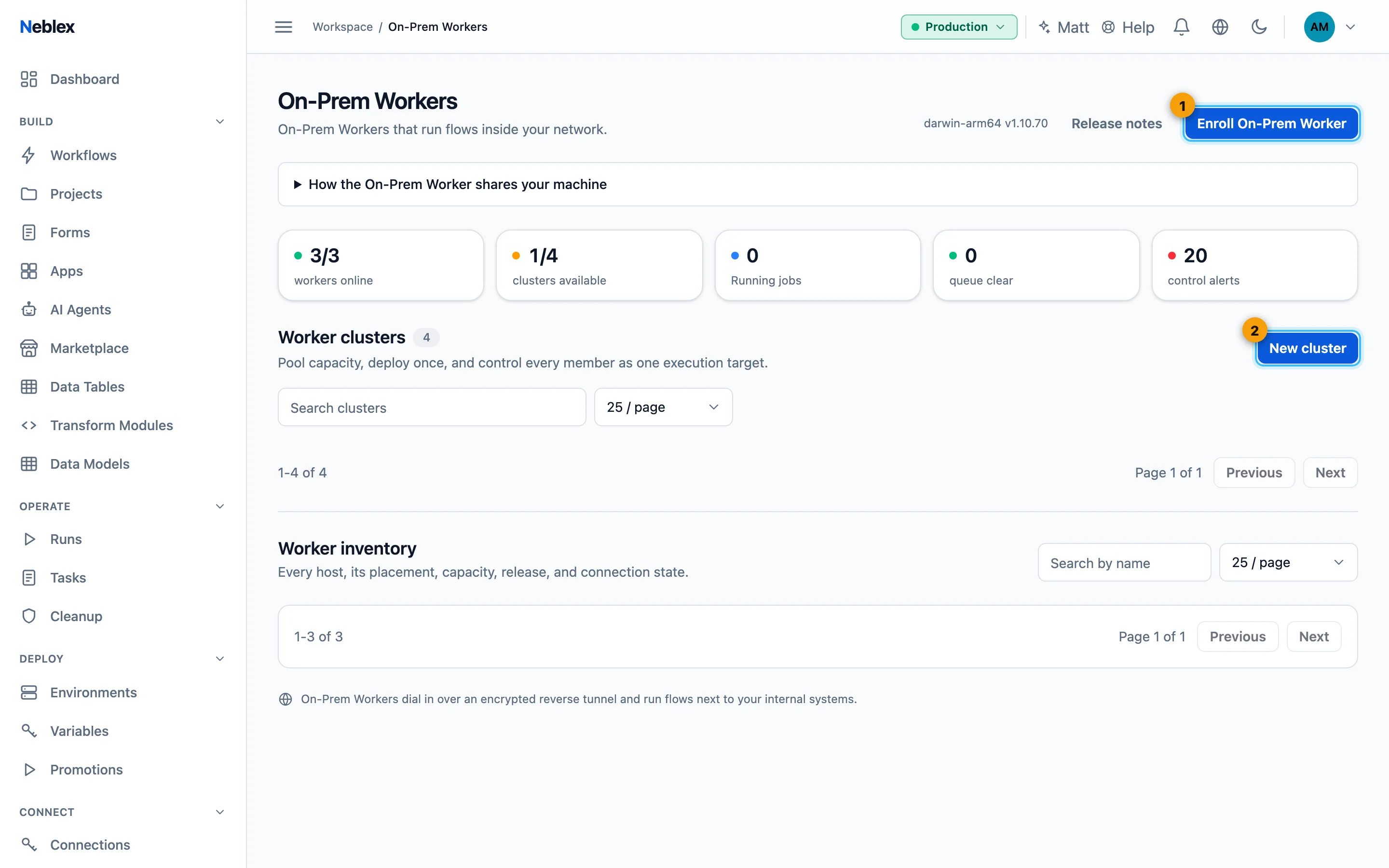
- Enroll On-Prem Worker.
- Group Workers into a cluster.