Apps
Apps
Turn your flows into
working software.
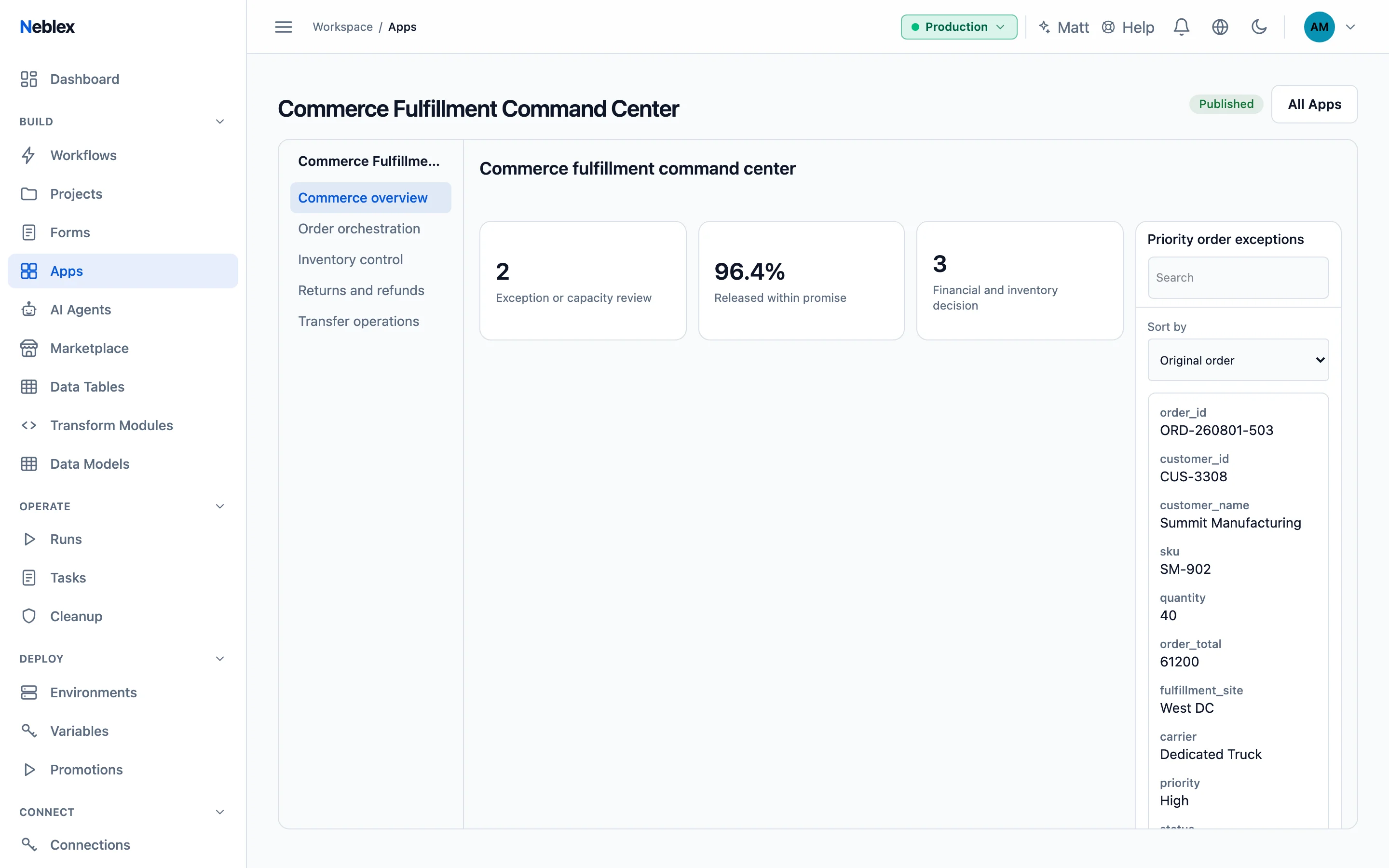
Dashboards, admin consoles, support desks and customer portals, assembled from components on a grid. Every table, chart and button runs one of your flows on the server, so there is no browser code to secure.
What you can build
What teams build with it
Operations dashboards
Live stats, charts and tables over the data your flows produce.
Admin consoles
Search, edit and act on records, one at a time or in bulk.
Support desks
A task worklist, embedded forms and an AI agent chat side by side.
Customer portals
Share with your workspace, through a secret link, or publicly.
How it works
From idea to live in four steps
Build the data flow
A flow returns the records to show, or a data table binds directly.
Declare actions
Name the operations the app may run. The browser can run nothing else.
Place components
Tables, charts, stats, buttons and more, bound to your actions with simple placeholders.
Preview and publish
Try it with real data, then publish to your workspace, a secret link or everyone.
In the app
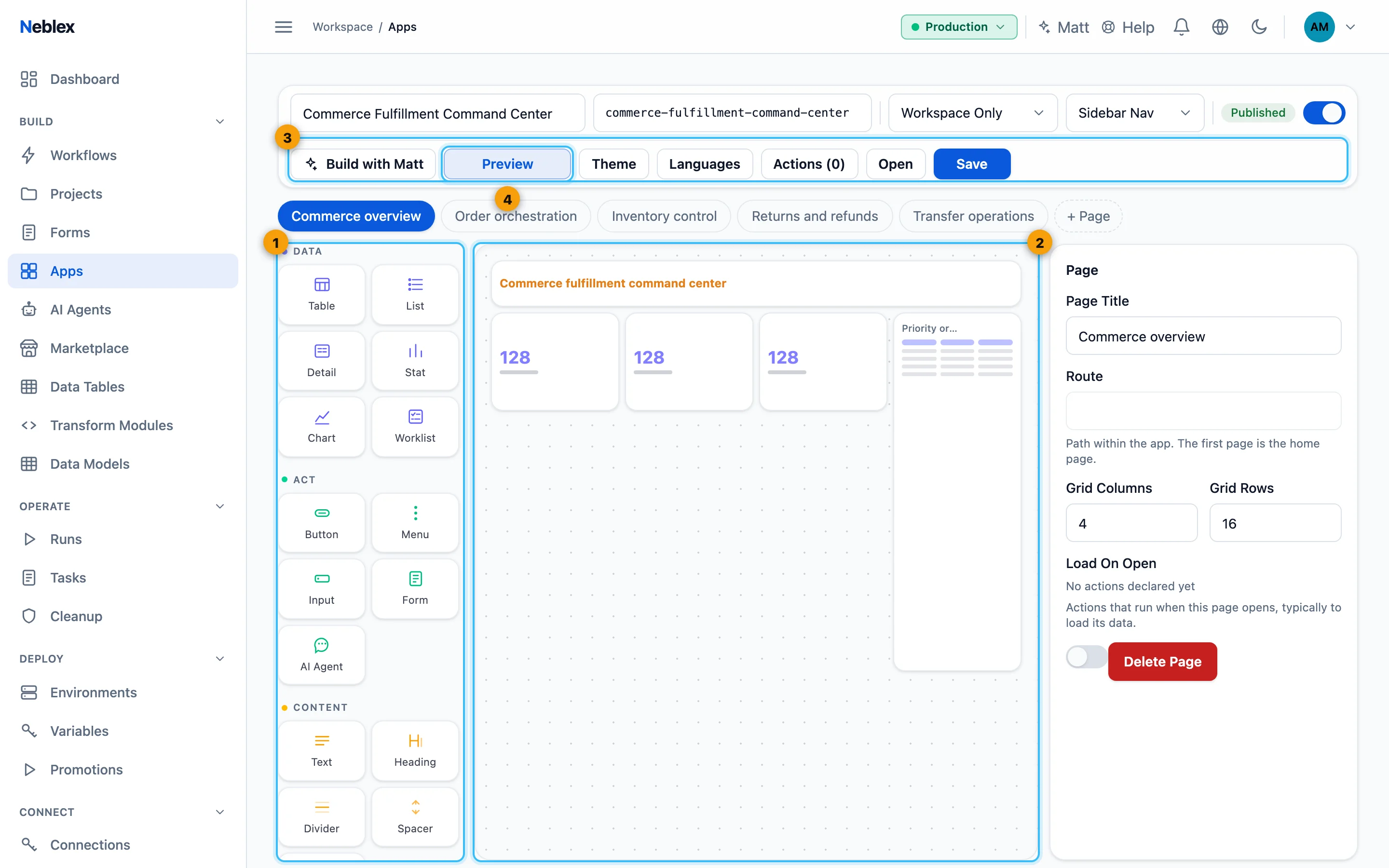
Design on a grid, preview with real data
Place components, bind them to actions and switch to Preview: the canvas becomes the running app and its actions really run.
Everything included
What you get
- Rich components
- Tables with search, sorting and paging, charts, stats, lists, details, inputs, menus and modals.
- Events and pages
- Buttons and row selections run actions, set variables, open dialogs and move between pages.
- Forms, tasks and AI
- Embed published forms, a task worklist and a chat with one of your AI agents.
- Your look, every language
- Theme colors, logo, font and translations for titles, labels and messages.
- Audiences you control
- Workspace only, secret link or public, with every action declared up front.
- Ship with confidence
- Version history, restore, duplicate and promotion together with the flows it uses.
Where it fits
Works with the rest of Neblex
Go deeper
Step by step in the guide
Ready to build with apps?
Follow the guide step by step, or open Neblex and start right away.