Workspace
Usage & limits
1 min readOpen in Neblex
Usage metrics
- Open Workspace at the bottom of the sidebar.
- Read Plan & usage. Runs this month across all environments (with a breakdown by environment) and whether your limit is enforced.
- Check your limits. Each tile shows used against the cap, expandable by environment.
Only completed runs count toward your plan; failed runs never count. A call through a reverse proxy counts as one run when your backend answers it successfully (or the proxy answers it from its cache); a call that starts a flow counts once, as that flow's run; a refused or failed call never counts. The tiles cover flows, concurrency, connectors, On-Prem Workers, users, environments, projects, AI builds per month (Matt requests), forms, apps, AI agents, agent runs and tokens per month, data tables, storage, rows per table and sandboxed-module limits. When a monthly limit is reached, new runs of that kind wait for the next period or a plan change; the quota alert warns you first. The Dashboard shows the same usage.
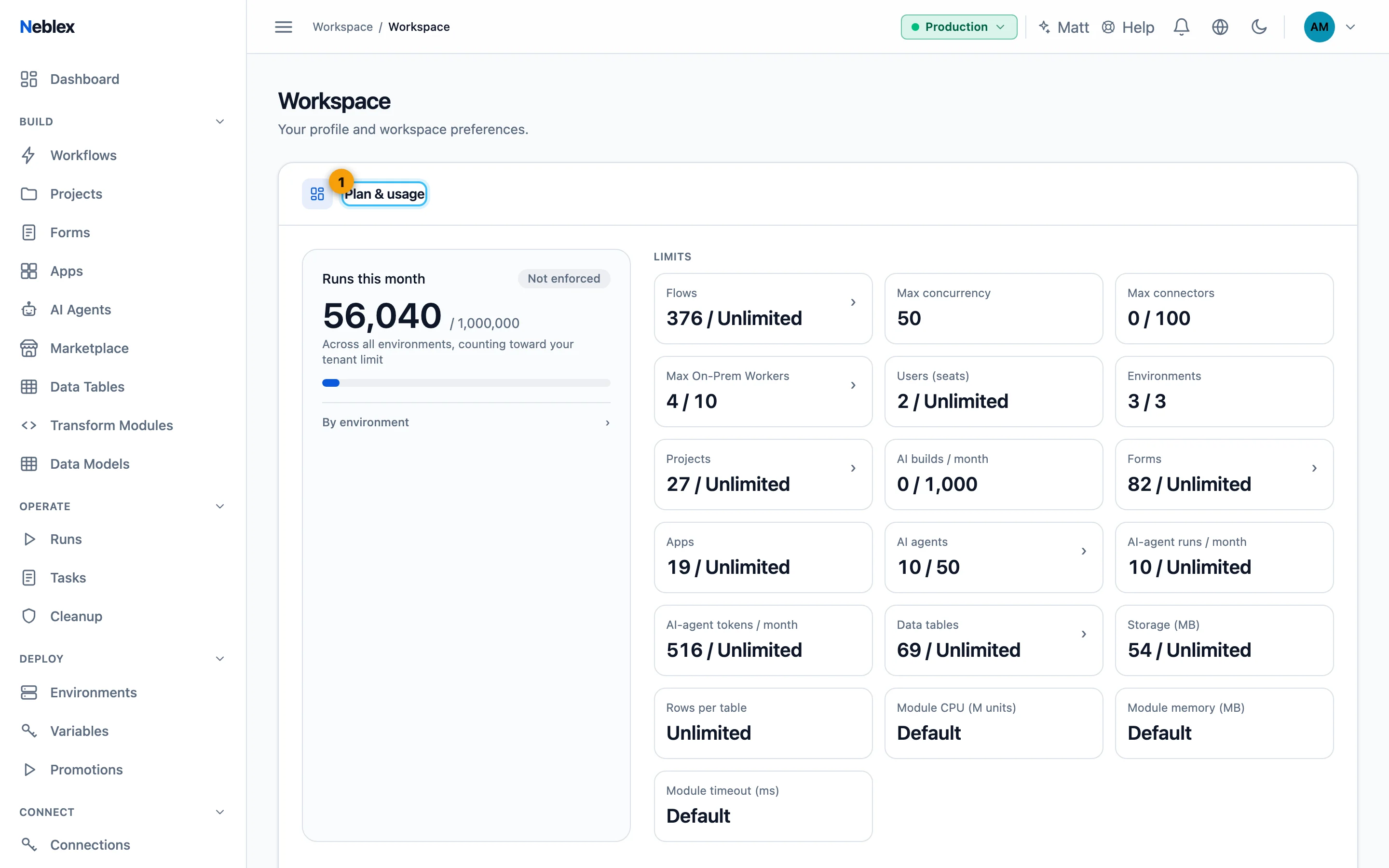
- Runs this month and every plan limit.