Meet Matt, your Neblex AI assistant

- Knows your setup
- A live picture of every data table, model, attribute, function, rule, and external connection in your environment. Answers come from your real setup, not a generic template.
- Code that just works
- The functions and queries Matt writes work the moment you save them. No fixing syntax errors before you can try them out.
- Cannot change your environment
- Matt can answer your questions, but he cannot edit data, change settings, or modify anything in your environment. There is no way to ask him to.
What Matt can do in CPQ
Five things you can ask Matt right now, with one example each.
App help and how-to
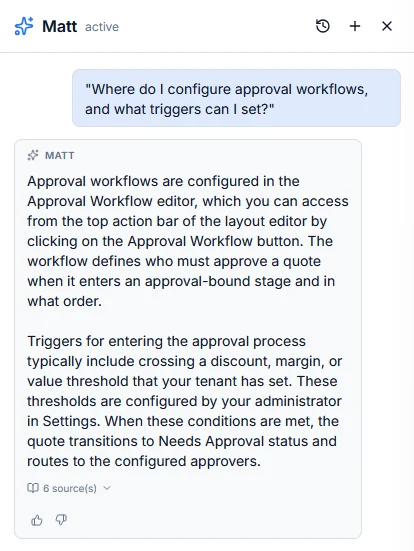
Matt knows his way around Neblex. Where to find a setting, how to configure a feature, what options are available, what each one does - ask in plain language and get a direct answer.
- Points you straight to the setting, page, or menu you are looking for
- Walks you through how to configure a feature step by step
- Explains what a feature does and when you would use it
- Tells you the limits and caps that apply to your plan and environment
Try asking
"Where do I configure approval workflows, and what triggers can I set?"
Function authoring
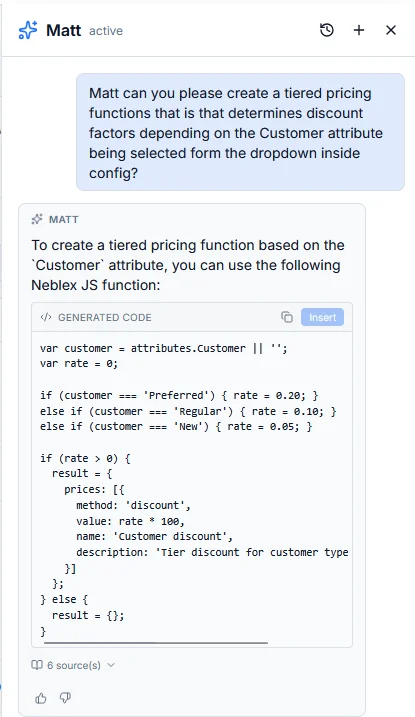
Matt writes the calculations and custom logic your configurations need - sizing formulas, cost rollups, validations, lookups. The functions he writes are ready to paste in and use.
- Generates ready-to-use functions for pricing, sizing, validation, and lookups
- Uses your actual model and attribute names, not placeholders
- Picks sensible inputs when you describe what you want to calculate
- Explains what each function does so you can rename or extend it later
Try asking
"Create a tiered pricing function that determines discount factors based on the Customer attribute."
Rule guidance
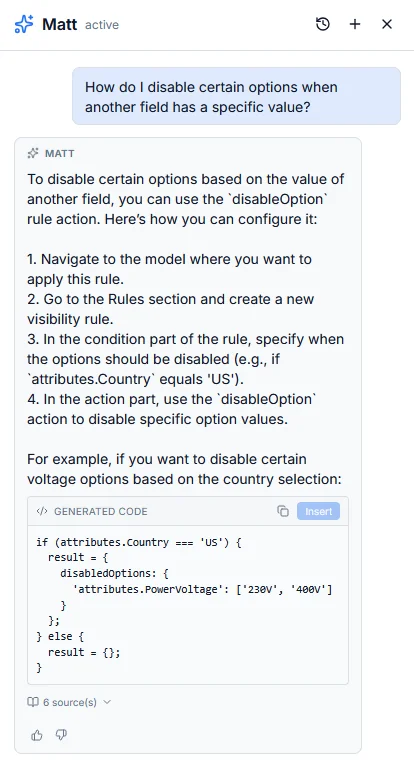
Often the right answer in Neblex is a rule, not custom code. Matt knows the rules the platform offers and points you at the right one for the job.
- Recommends the right rule type for what you are trying to do
- Targets the actual options and attributes in your environment
- Distinguishes when to hide a field versus disable it, and when to validate versus warn
- Explains how rules interact when more than one applies
Try asking
"How do I disable certain options when another field has a specific value?"
Data table queries
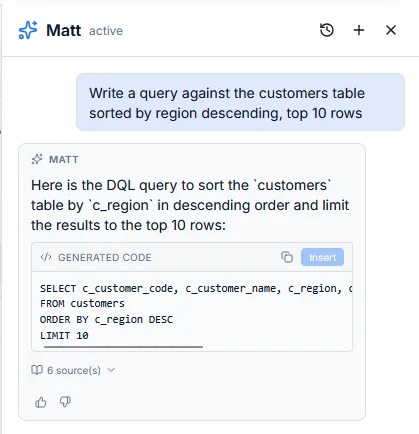
Matt knows every data table in your environment - what columns each one has, what's stored in them, and how to query them. The queries he writes target your real data, not made-up tables.
- Writes queries against your actual data tables and columns
- Picks the right way to filter, sort, and combine results based on your question
- Knows which query type fits picklists, lookups, and rule logic
- Explains what a query does so you can adjust it
Try asking
"Write a query against the customers table sorted by region descending, top 10 rows."
Knows your setup
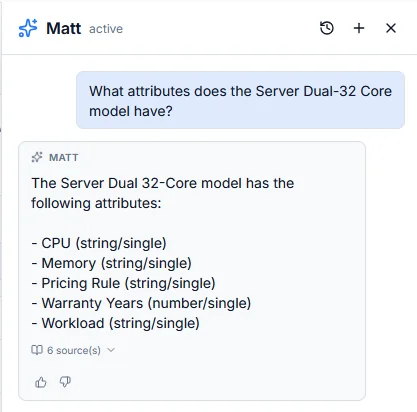
Matt has a live picture of your environment: every data table, model, attribute, function, rule, and external connection. "What do I have" questions come back instantly without you opening admin pages.
- Lists the data tables, models, attributes, functions, rules, and external connections in your environment
- Describes what's in any table or what attributes belong to any model
- Tells you where a function or rule is used so you know what depends on it
- Counts come straight from your data - no guessing or estimates
Try asking
"What attributes does the Server Dual-32 Core model have?"
What Matt can do in Integration Fabric
The same assistant, at home on the flow canvas - and just as grounded.
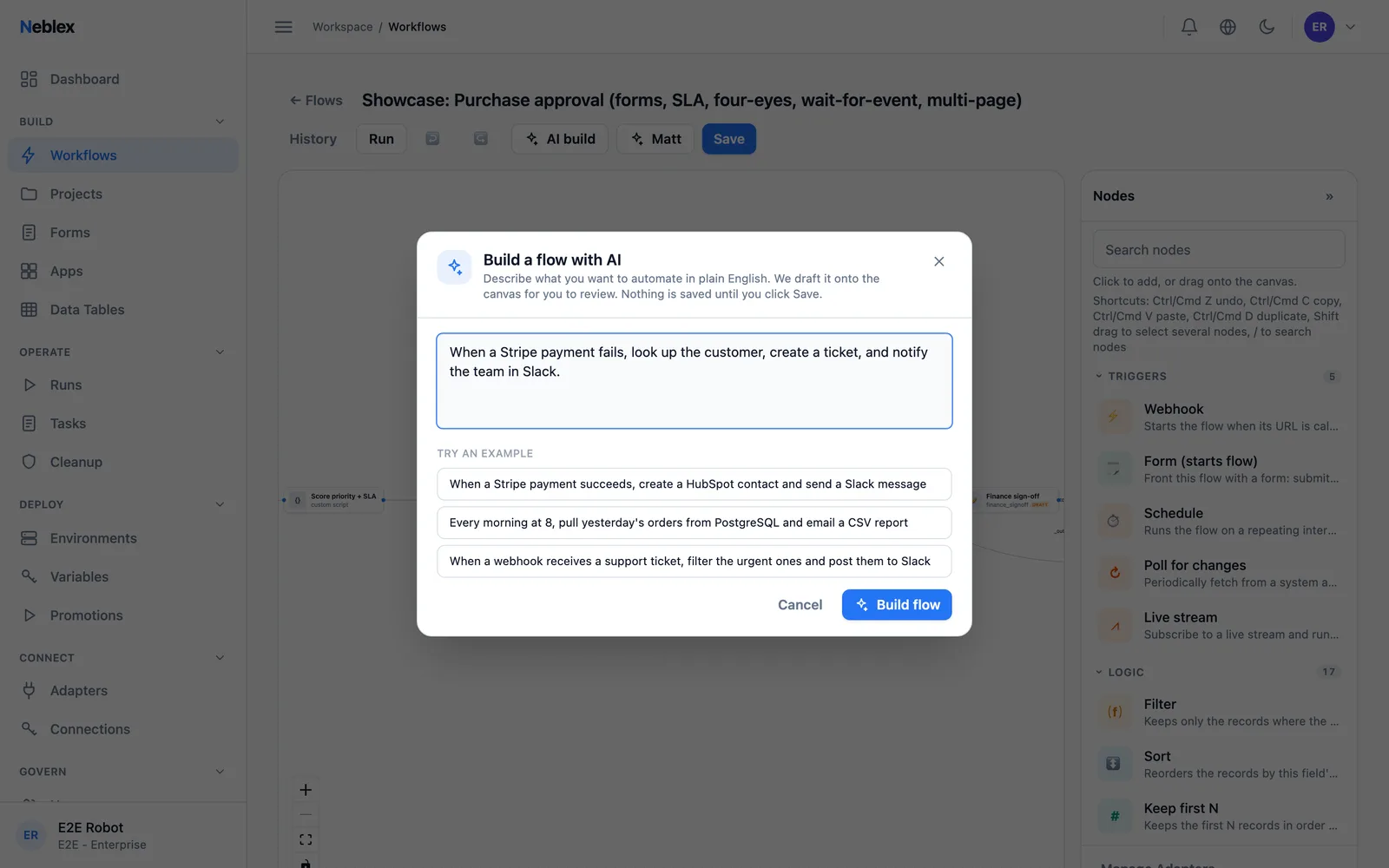
Build a flow from a description
Describe the automation in plain language and Matt drafts a flow onto the canvas from the connectors you can use; you choose the connections. Nothing is saved until you click Save - and he never invents adapters or calls.
Try asking
"When a Stripe payment fails, look up the customer, create a ticket, and notify the team in Slack."
Grounded in your real flows
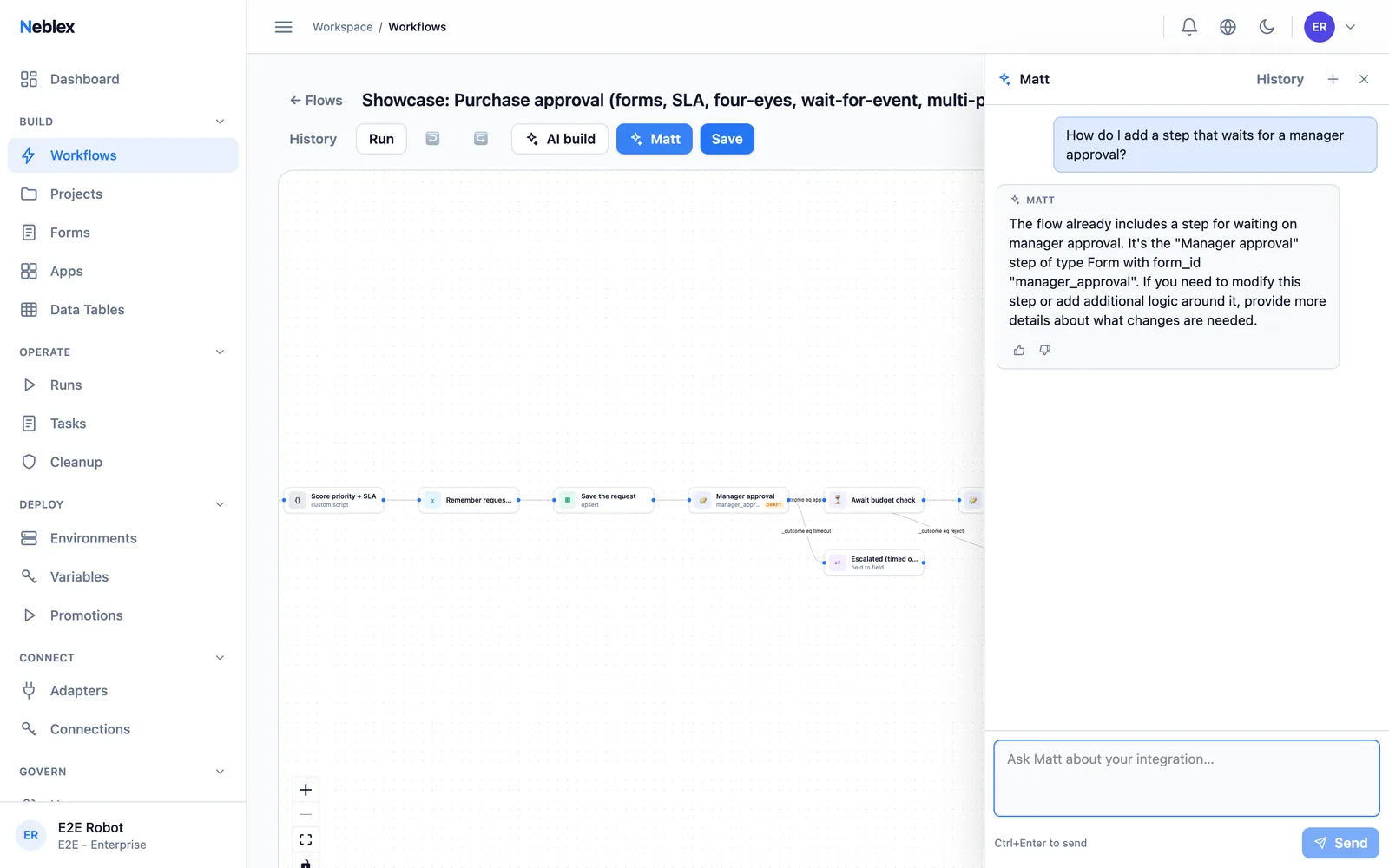
Ask Matt about the flow you are looking at and he answers from its actual steps - here he recognizes the existing "Manager approval" form step instead of blindly adding a duplicate.
Try asking
"How do I add a step that waits for a manager approval?"
Auto-map fields
Type-aware mapping suggestions between any two systems' schemas, accepted with one click. The actual values in your records never leave the platform.
Try asking
"Map the Salesforce contact fields onto our billing customer record."
Ask about any step
Every step has an Ask Matt shortcut: what it does, how to configure it, and what its inputs and outputs look like in your flow.
Try asking
"What does this Deduplicate step key on, and what falls out?"
Fix With Matt
When a run fails, Fix With Matt reads the failing step's error and the fields earlier steps produced, explains what went wrong, and proposes the change.
Try asking
"Why did the overnight SAP sync fail on chunk 14?"
How Matt is different
General-purpose AI tools are built to be open-ended. Matt is built to be useful inside one system: yours.
- Stays on topic
- Matt answers Neblex questions and politely declines everything else. No essays, no recipes, no off-topic tangents that derail your team.
- Grounded in your data
- Every answer is built from your real data tables, models, attributes, functions, and rules. He cannot make up a table or an attribute that doesn't exist.
- Code that works on save
- What Matt writes runs the moment you save it. You spend your time on the logic, not on chasing down syntax errors before you can test.
- Can answer, cannot change
- Matt can read what he needs to give you an answer, but he cannot change data, edit settings, or modify your environment in any way.
- Your data isn't training data
- Your conversations are never used to train any AI model. Nothing is shared across customers. Your data is yours.
- Admits when he doesn't know
- When Matt cannot find an answer in your data, he says so. A clean "I don't know" beats a confident wrong answer every time.
Common questions
Who is Matt built for?
Matt is built for the people who set up and run Neblex: administrators, application owners, and the builders. In Neblex CPQ that means the team configuring your products, rules, and data tables; in Integration Fabric it means the team building flows, forms, and apps. He helps with the build side, not the end-customer side.
Can Matt look up specific quotes, customers, or pricing details?
No, by design. Matt helps you build and configure Neblex - so he answers questions about your setup (data tables, models, attributes, functions, rules) and how to use the application. He does not read individual quotes, customer records, or pricing for specific deals.
Why is Matt read-only?
Matt can answer questions, but he cannot change anything in your environment. He cannot create, update, or delete data, settings, or configurations - and there is no way to ask him to. This is built into how he works, not a setting that can be flipped. The result: you can let anyone on your team ask Matt anything without worrying that he might quietly change something behind their back.
Does Matt see data from other customers?
No. Matt only ever sees your own data. He cannot reach across to anyone else's environment, ever.
Is our data used to train AI models?
No. Your data is never used to train any AI model. There is no shared learning across customers and no fine-tuning on your data.
What happens when Matt doesn't know the answer?
Matt is built to admit when he doesn't know. If a question falls outside what he can answer, or if the information isn't in your data, he says so directly instead of inventing a guess. "I don't see that in your data" is the right answer when something doesn't exist.
Will Matt expand to answer questions for sales reps?
Possibly in a future release. Letting Matt answer questions about specific quotes, customers, and pipeline is a meaningful step that needs careful design around permissions and traceability. For now, Matt is focused on helping you build and run your Neblex setup.