Collect input.
Start and steer your flows.
What teams build with it
Requests and intake
Service requests, registrations and incident reports that start the right flow the moment they are submitted.
Approvals
Approve and reject buttons, a different person for each decision, due dates and escalation when nobody acts.
Review and correct
Pause a flow so a person can check or fix records, including a whole grid of rows in one task.
Multi-step journeys
Intake, review and confirmation pages in sequence, each pre-filled with what was collected so far.
From idea to live in four steps
Design
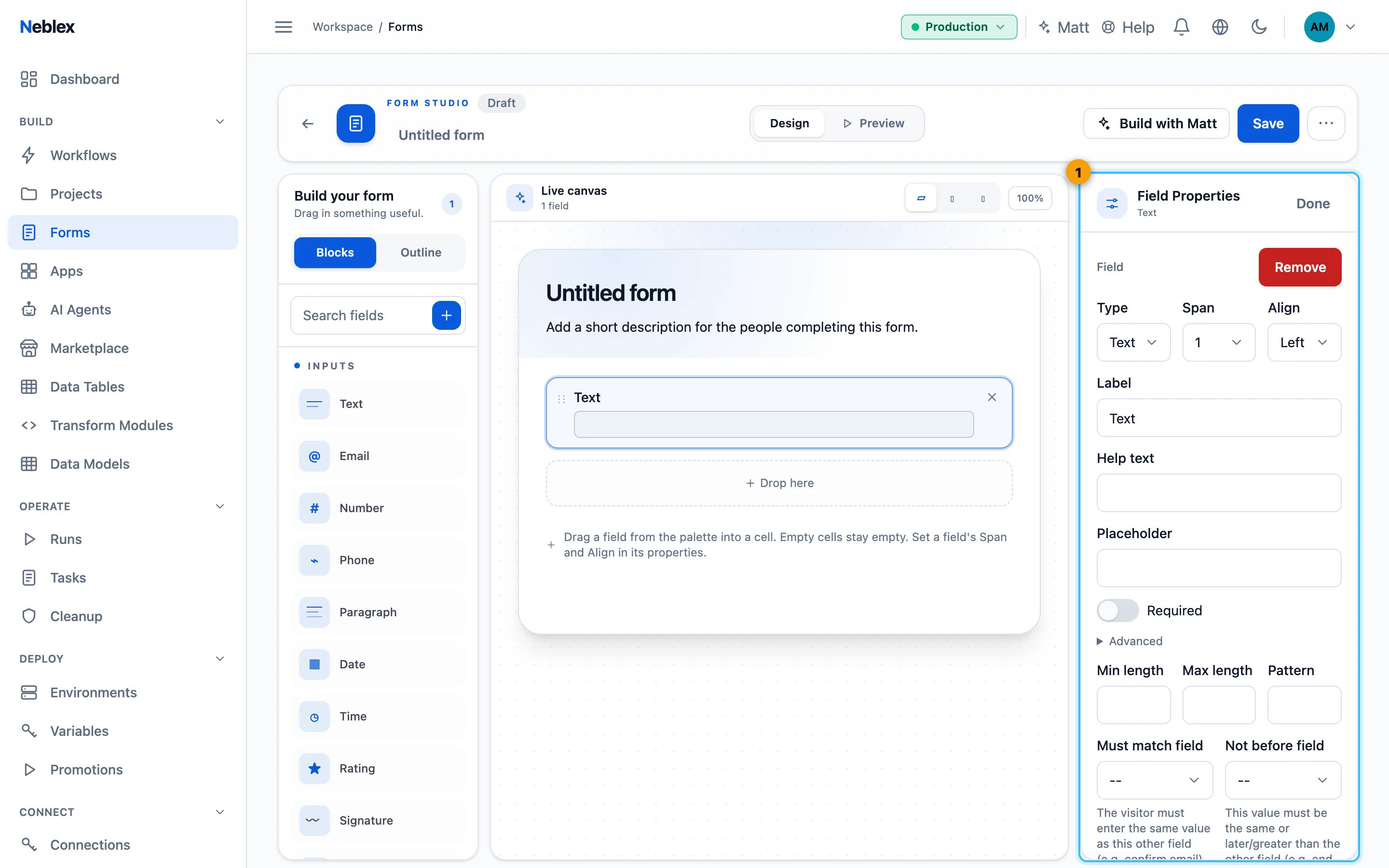
Drag fields onto a grid in the Form Studio and preview on desktop, tablet and phone.
Publish and share
Share an open link, or a signed link that expires. No account is needed to respond.
Connect a flow
Start a flow with Form (starts flow), or pause one with Wait for form.
Act on the answer
Branch on decisions, route tasks to the right people and keep a full history.
Every form versioned and ready to share
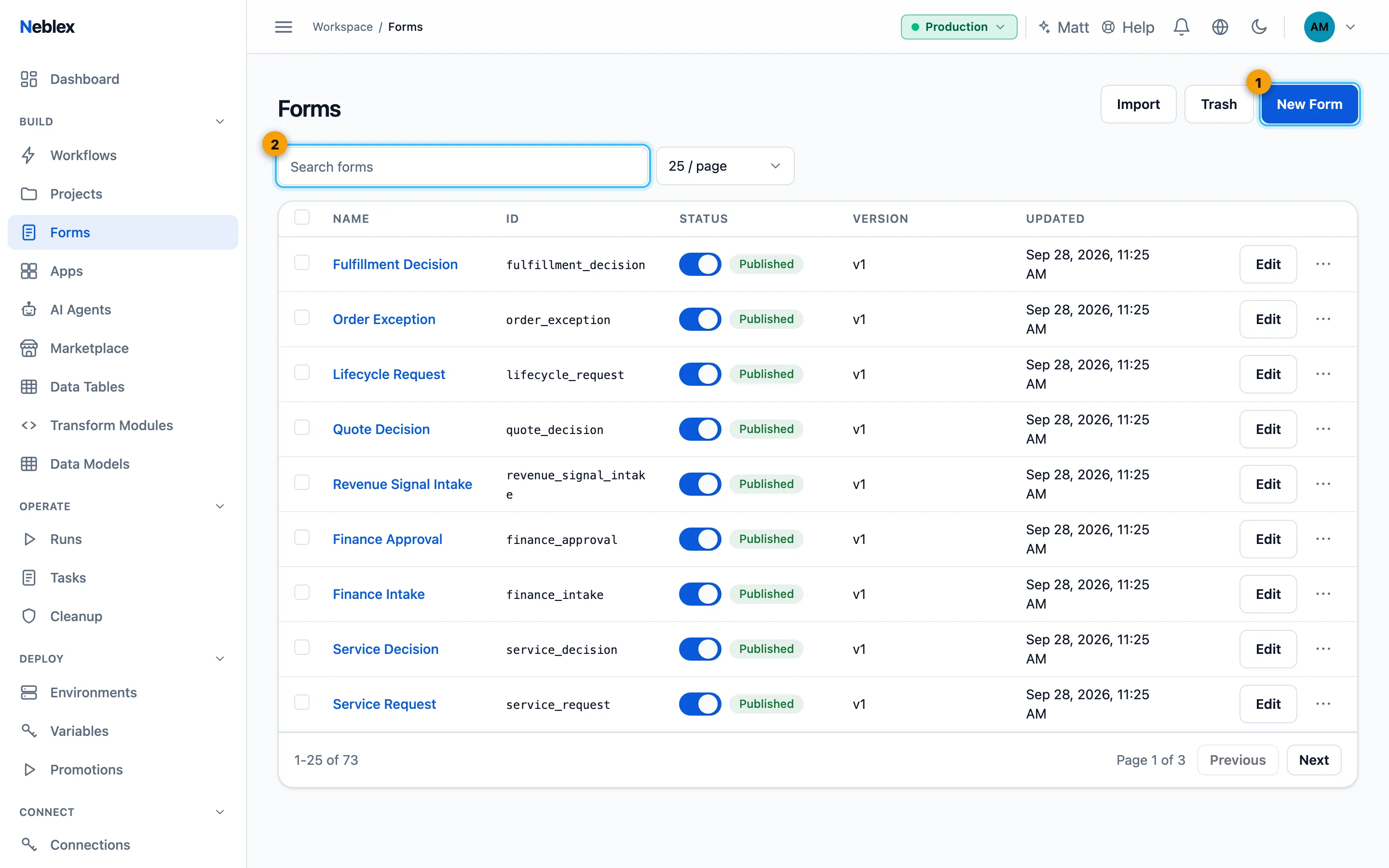
Publish or take a form offline right from the list, copy a signed access link, and compare or restore earlier versions from its history.
What you get
- More than 20 field types
- Text, choices, dates, ratings, signatures, file uploads, record grids and layout blocks.
- Rules that hold
- Required fields, patterns, ranges, cross-field rules and conditional visibility, checked on submit.
- Choices from your data
- Fill dropdowns from a flow, including lists that depend on an earlier answer.
- Your brand, every language
- Colors, logo and theme, plus translations that follow each visitor's browser language.
- Uploads to your storage
- Files go to a storage connection you choose, such as your own bucket or file share.
- Work routed to the right people
- Priorities, due dates, skills, automatic assignment, bulk actions and escalation flows.
Works with the rest of Neblex
Step by step in the guide
Ready to build with forms?
Follow the guide step by step, or open Neblex and start right away.