Govern
Permission Profiles
1 min readOpen in Neblex
Govern › Permission Profiles (Superuser) designs exactly what each kind of user may see, build, operate and access programmatically.
- Built-in profiles Owner, Admin, Editor, Operator, Viewer and Auditor are editable; a change applies at once to everyone assigned, and Reset to default restores the product default. Superuser is fixed.
- New profile or Duplicate as custom creates a complete permission set of your own. Deleting a custom profile moves its users to Viewer.
- Platform access tab: Access channels (Use MCP for AI clients and Programmatic API for non-browser credentials, each with Use and Manage), and the Platform capabilities matrix: for Flows, Projects, Forms, Apps, Data tables, AI agents, Adapters, Connections, Runs and tasks, On-Prem Workers, API credentials, Workspace settings, Audit log and Secrets, tick View, Create, Edit, Delete, Run, Use, Approve, Work queue or Manage.
- Flow builder tab: allow all node types or only selected ones, and all adapters or only selected adapters and even individual operations.
Example. A "Finance operator" profile: Runs and tasks (View, Run, Work queue), Flows (View, Run) limited to the Finance project through project membership, no Connections, no MCP.
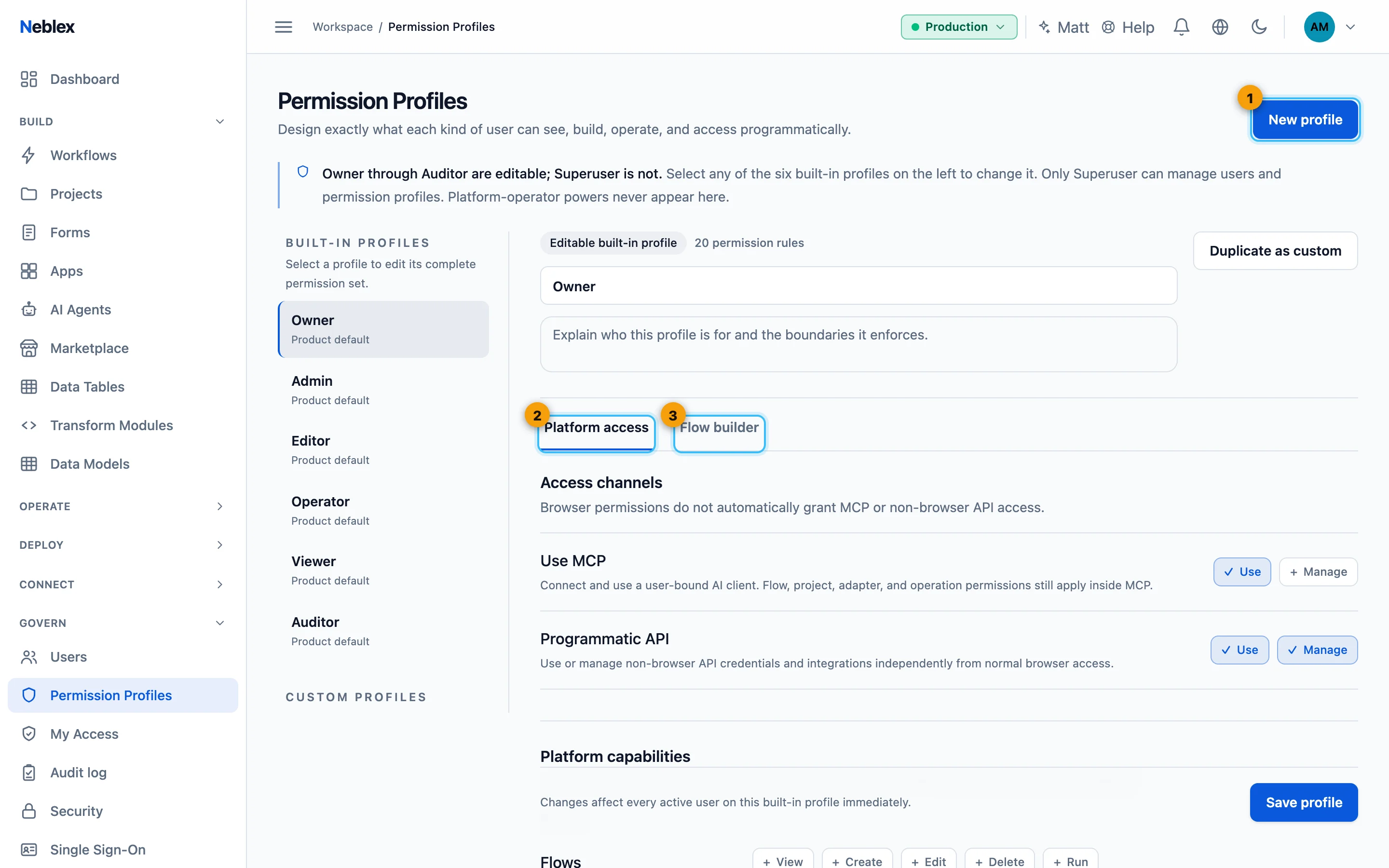
- Create a custom profile.
- Channels and capabilities.
- Allowed nodes, adapters and operations.