Govern
Audit log
1 min readOpen in Neblex
Govern › Audit log is the tamper-evident record of security-relevant activity: sign-ins, role and permission changes, flow and connection changes, exports, run cancellations, access denials and more. Each entry is chained to the previous one with a cryptographic hash, so changing or removing an entry is detectable. Recording is always on; the viewer depends on your plan.
- Summary: recorded events, distinct actors (users, On-Prem Workers, system) and action types.
- Filter by text, actor, action and time range (last 24 hours, 7, 30, 90 days, all time or a custom range). Filters also apply to exports.
- Inspect an entry to see full details including its hash and the previous entry's hash.
- Verify chain. Recomputes the chain and confirms nothing was altered or removed.
- Export CSV. Downloads the filtered entries with both hashes per row, oldest first. The export itself is recorded.
- Evidence report. A printable report of the current view with the filters, who generated it and when; use Print / Save as PDF for auditors.
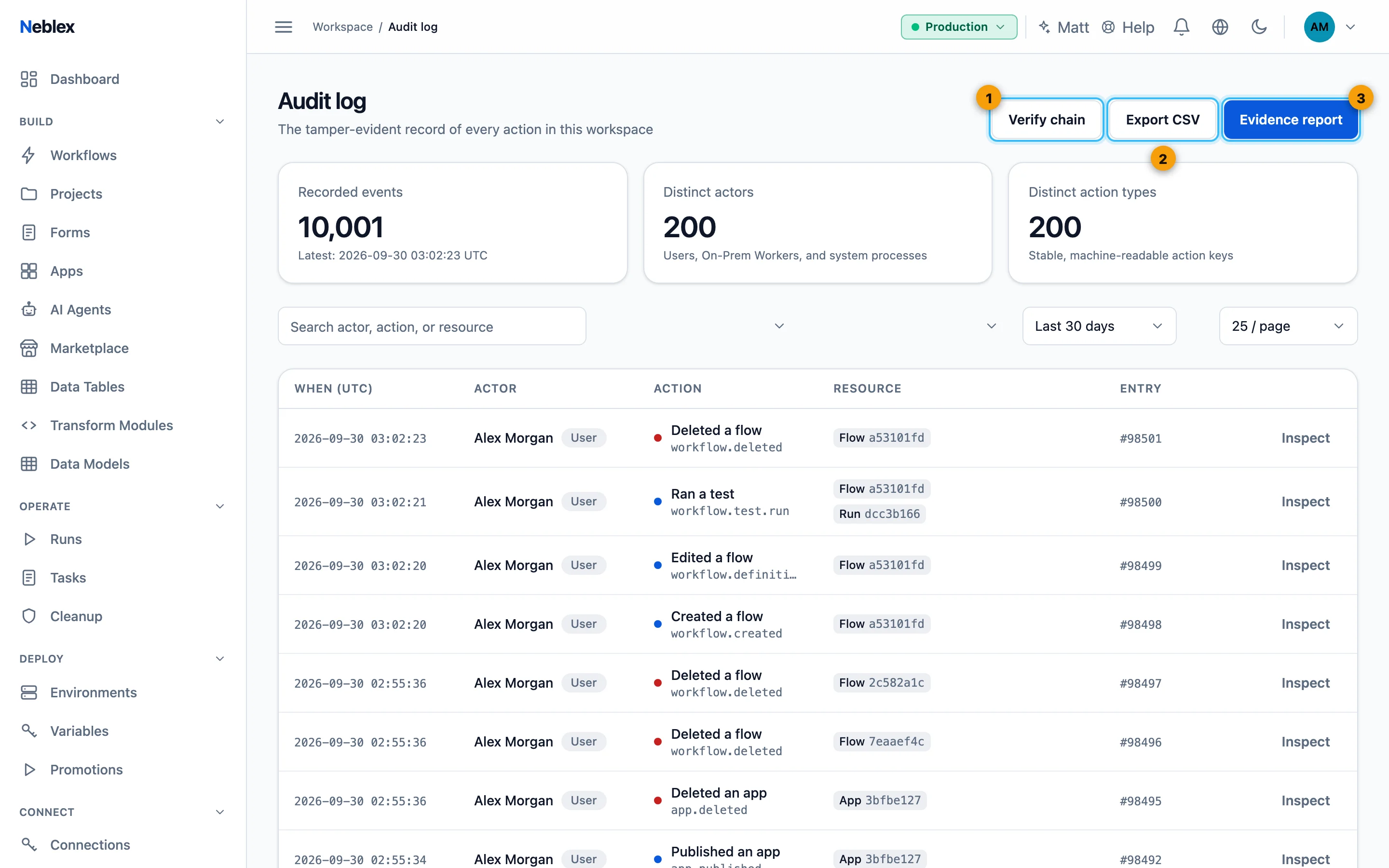
- Prove nothing was changed or removed.
- Export the filtered entries.
- A printable report for auditors.