Connect
B2B trading & EDI
Connect › B2B Trading manages your trading partners and every EDI interchange with them.
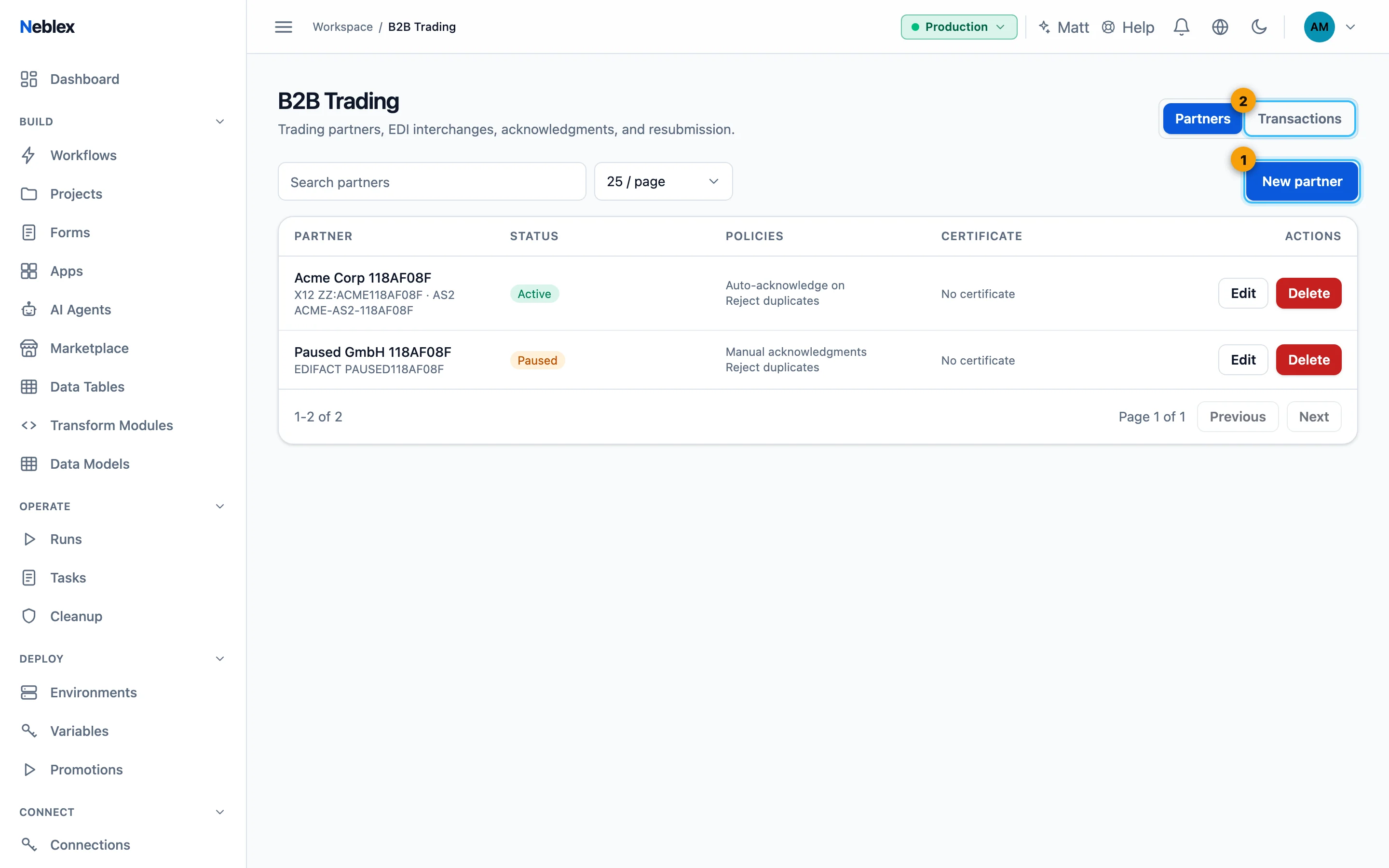
- Add a trading partner.
- Every interchange and its status.
Partners
New partner: partner name and status (Active or Paused), Preferred standard (ANSI X12 or UN/EDIFACT), X12 identity (qualifier and ID), EDIFACT identity, AS2 ID, the Inbound flow that processes their documents, Partner AS2 endpoint URL (empty disables outbound AS2), Duplicate policy, contact email, Automatically acknowledge received interchanges (997 / CONTRL), the partner's certificate and notes. The list shows each partner's certificate status (on file, expires in N days, expired) so you can renew before traffic stops.
Transactions
Every interchange with its direction, partner, document, control number and status: Received, Failed, Acknowledged, Rejected, Duplicate or Resubmitted. Search by control number, document or sender, and filter by direction and status. Detail shows the interchange, View run opens the flow run, and Resubmit processes a failed interchange again after you fixed the cause.
To exchange documents over AS2 or AS4 see Exchange EDI over AS2 and AS4; to parse and build EDI see the EDI steps in the Node reference.