Connect
Custom Integrations
2 min readOpen in Neblex
Connect › Custom Integrations adds systems that are not in the catalog, or your own internal APIs.
Add any API as a connector from its spec
- Choose Import API Specification.
- Provide the specification. From URL (a public HTTPS link), Paste or Upload (.json, .yaml, .proto, .graphql) or From a connection (a spec served by a system you already connected). Supported: OpenAPI (Swagger), AsyncAPI, GraphQL introspection, WSDL 1.1 and Protocol Buffers.
- Preview and import. Review the detected format, the number of operations and events, the sign-in method and sample operations. If the spec has no server address, enter the API endpoint. Click Import: every operation becomes a step in the node library.
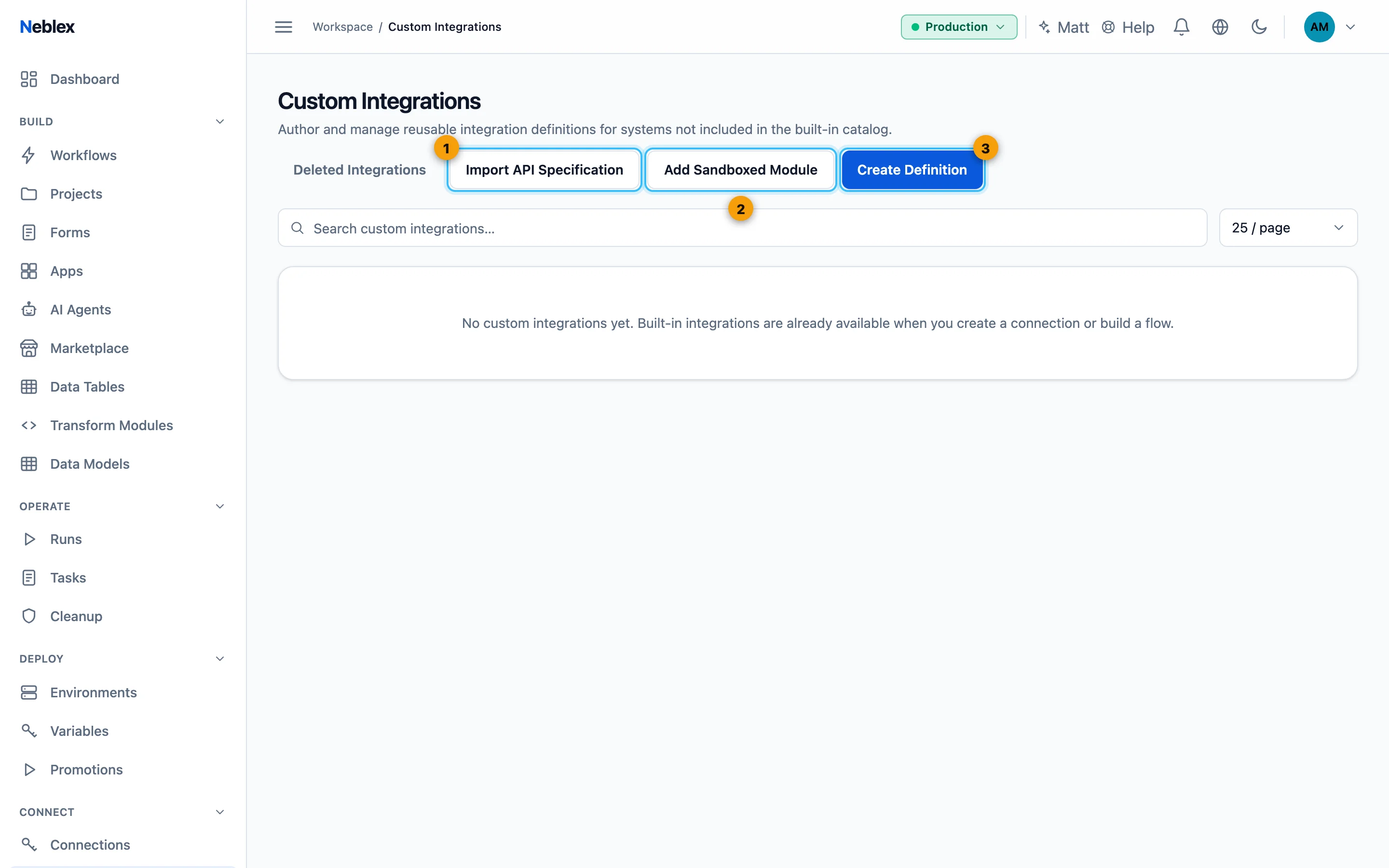
- Import from OpenAPI, AsyncAPI, GraphQL, WSDL or .proto.
- Upload a sandboxed module.
- Describe an API or system by hand.
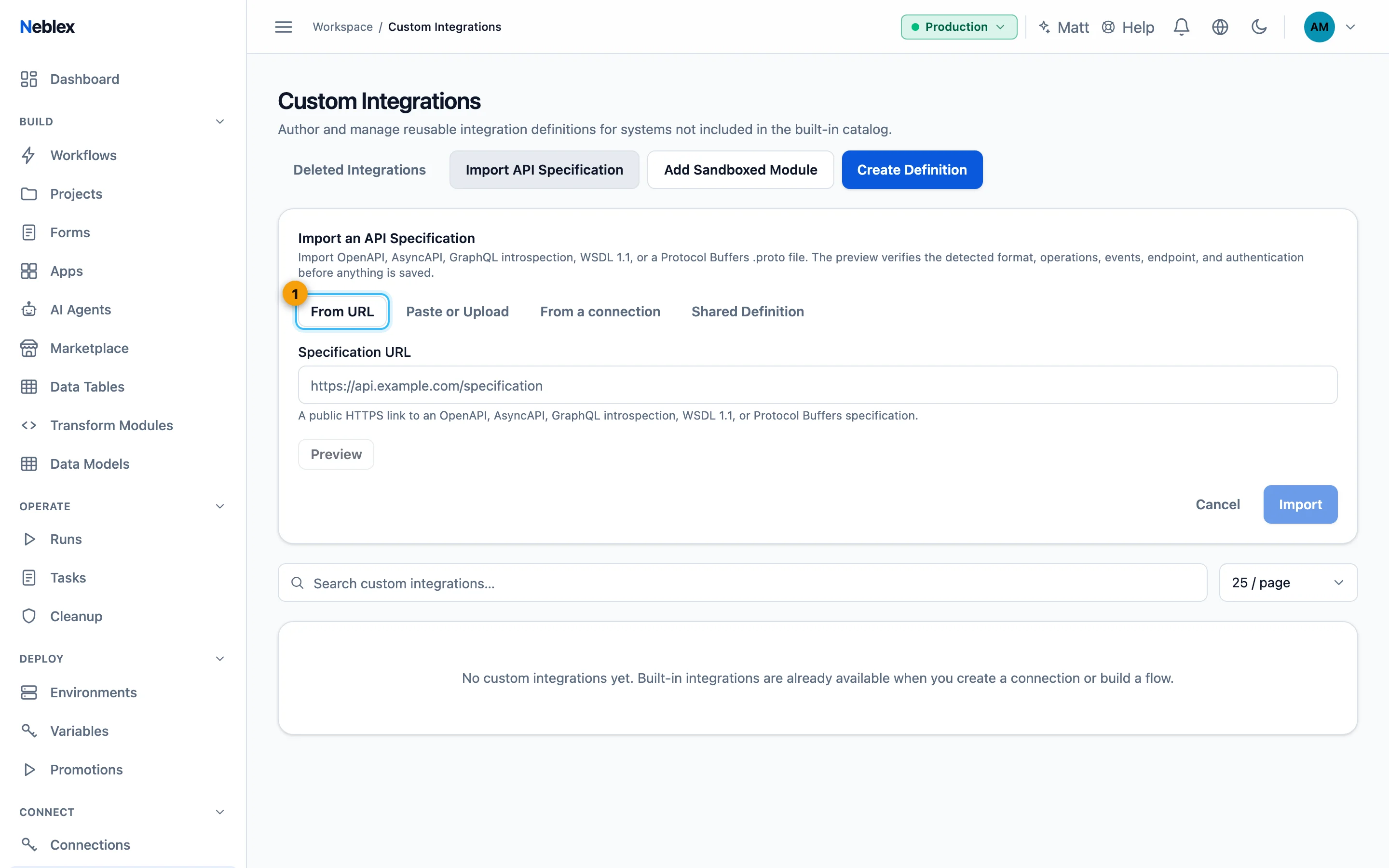
- Pick the source, preview, then Import.
Add a custom connector
- Choose Create Definition.
- Describe the system. Name, Type (HTTP / REST, PostgreSQL, MySQL, MariaDB, SQL Server, Oracle, Redis, SFTP, FTP, SSH, SMTP / Email and more), optional Category and the Base URL (placeholders allowed).
- Choose authentication. No auth, Bearer token, API key header, API key query, Basic auth or OAuth 2.0, plus any Static headers.
- Add operations. For HTTP: an operation name, method and path, and Pagination (None, Cursor, Page number, Offset or Link header). For databases and similar types: an operation name and its statement.
- Create Integration. Then add a connection for it on the Connections page.
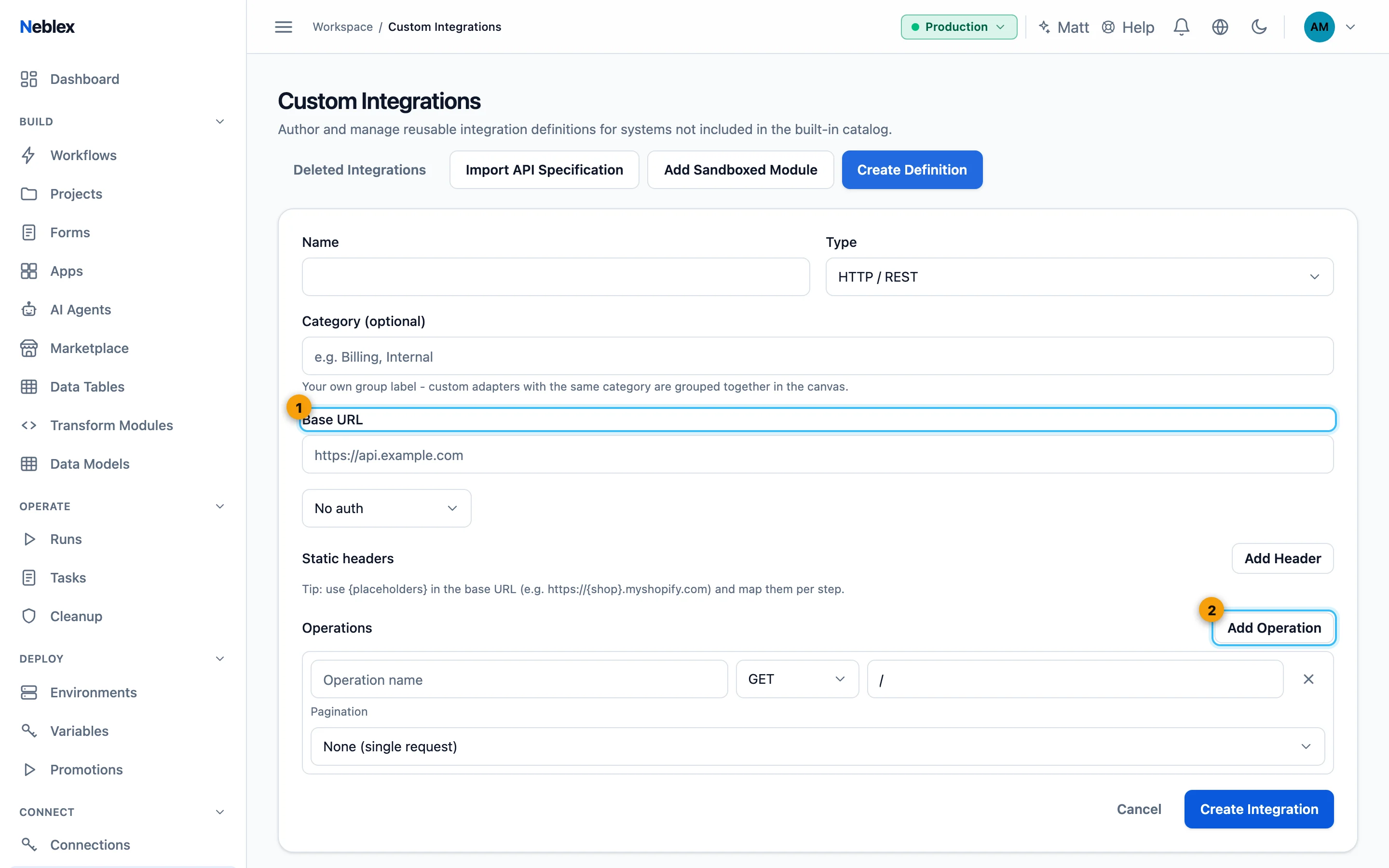
- Name, type, base URL and authentication.
- Add operations, then Create Integration.
Update, share and remove
- Re-import updates an imported integration from a newer spec. Review changes shows the base URL and sign-in changes and how many operations were added, removed or changed; confirm and Update integration. Existing connections are kept.
- Export downloads a signed
connector.jsonwith the complete definition and no credentials. Another workspace imports it under Shared Definition; a tampered file is rejected and re-importing replaces the connector of the same name. - Add Sandboxed Module uploads a compiled
.wasmmodule for custom logic. It runs with no network or file access and within fixed compute, memory and time limits, and is checked before it is saved. - Delete moves an integration to Deleted Integrations, where it can be restored.
GraphQL. Each query and mutation becomes a typed step with a ready-made selection of fields. If the upstream schema changes, re-import to refresh the operations.
Custom integrations depend on your plan (see Features on the Workspace page).