Govern
Alerts
1 min readOpen in Neblex
Govern › Alerts sends email (through your own mail server) and optional webhook alerts.
- Enable email alerts and choose Events to alert on: integration failure, failed sign-in, account lockout, mass lockout, execution quota reached, On-Prem Worker offline, On-Prem Worker update required, On-Prem Worker must be enrolled again, suspicious sign-in, queue backlog, and waiting runs at their limit. Tell me at this many waiting runs sets the backlog threshold (0 = off).
- Recipients: comma-separated emails.
- Your SMTP server: host, port, security (STARTTLS 587, TLS 465, or None), from address, username and password (kept if left blank). This server is also used for task emails.
- Webhook URL: alerts are also posted as JSON; Slack and Microsoft Teams incoming webhooks work as they are.
- Send Test, then Save.
The 🔔 bell in the top bar shows recent failures to everyone who can see runs.
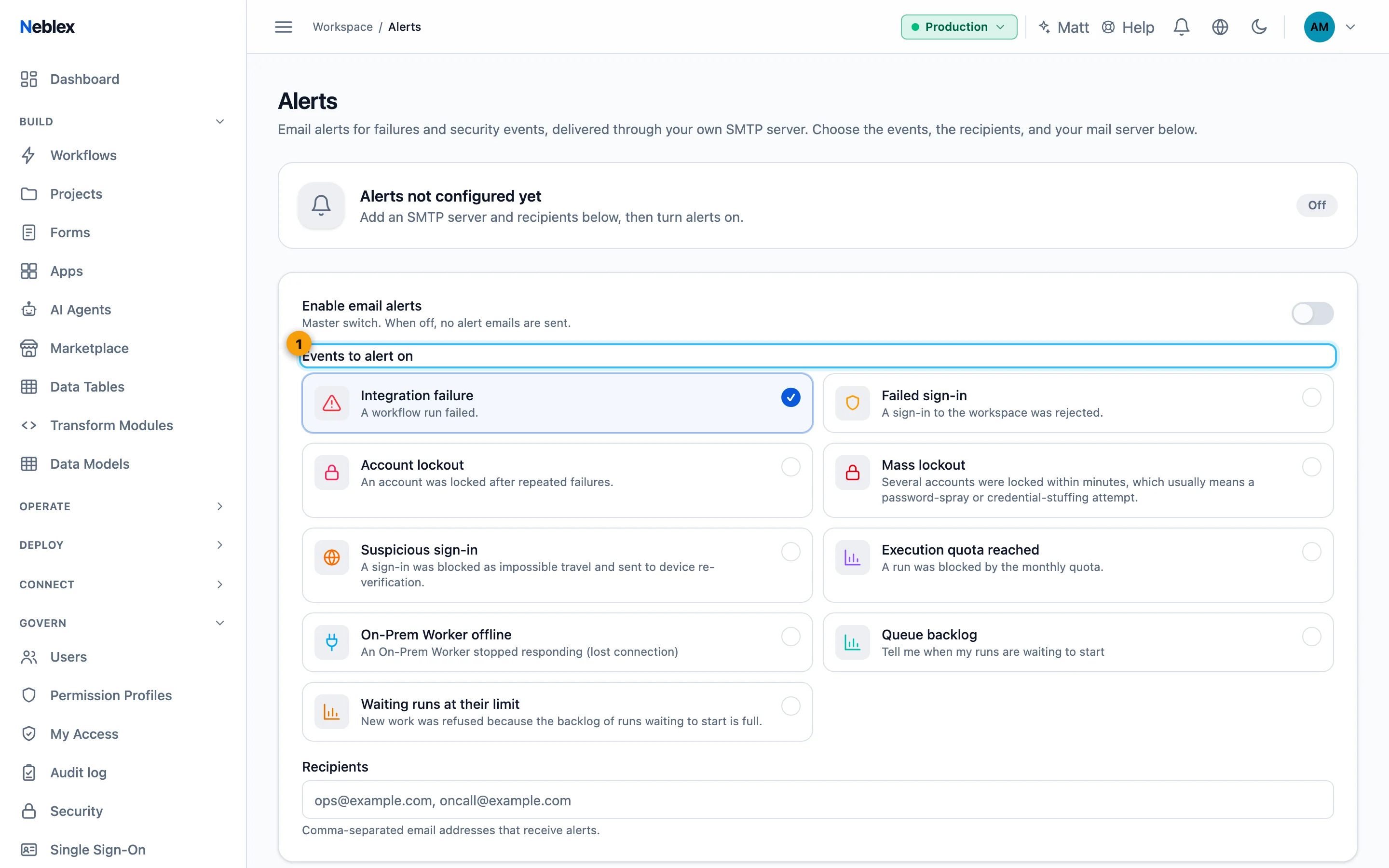
- Choose events.