AI agents
AI agents
An AI agent is an assistant with its own instructions, model and tools. Use it as a hosted chat page, an embedded chat, a Slack or Teams bot, a phone or browser voice assistant, a step in a flow, or a component in an app. Agents always run on your own AI provider account: you choose the provider connection and model, and calls never fall back to a Neblex model.
Supported providers include OpenAI, Anthropic, Microsoft Azure, Google Gemini, Mistral, Groq, xAI, DeepSeek, OpenRouter, Perplexity, Together, and OpenAI-compatible or Ollama endpoints on your own infrastructure. After you pick a connection the model list is loaded from the provider.
The AI Agents page
The list shows each agent's model, status, deployment, tools, where it is used (flows and apps) and 30-day health. At the top: Approvals (actions waiting for a person: Approve and run or Deny), Trash, Set up RAG / Knowledge and New Agent. Row actions: Edit, Chat Link, Delete.
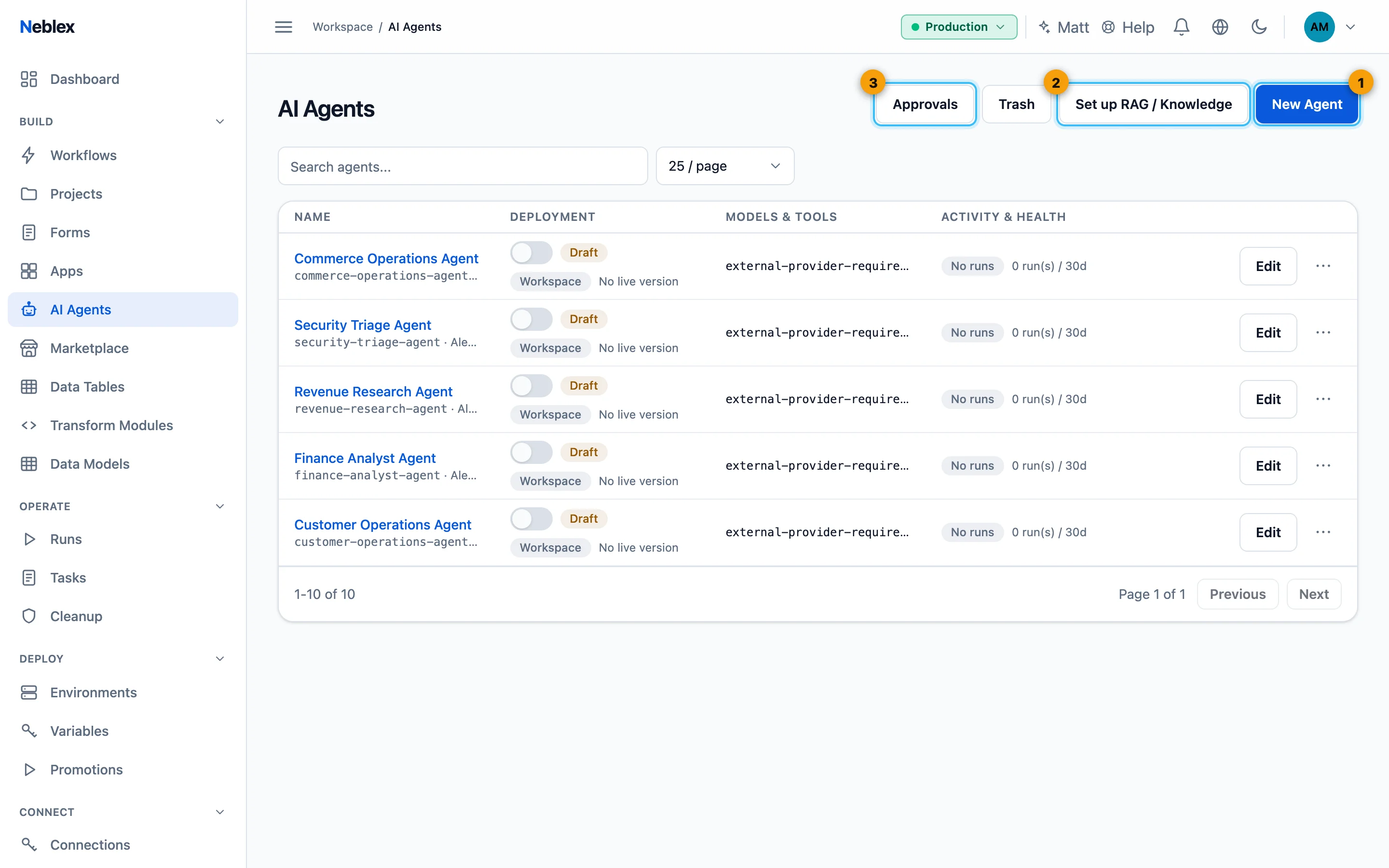
- New Agent.
- Set up RAG / Knowledge with the guided installer.
- Agent actions waiting for a person.
Create an agent
- Start. Click New Agent and name it.
- Choose the model. Under Model pick the provider, the connection (API key) and a model.
- Write instructions. Tell the agent in plain language who it is and what it should do, or click Draft with AI and describe it: your own model drafts a name, persona, suggested tools and approval checkpoints for you to review.
- Add tools. Click Add Tool and choose what the agent may do (see below).
- Test. Save, then chat in Test Your Agent. Every reply shows which tools it used.
- Publish. Turn on Published. In a protected environment this goes to approval first.
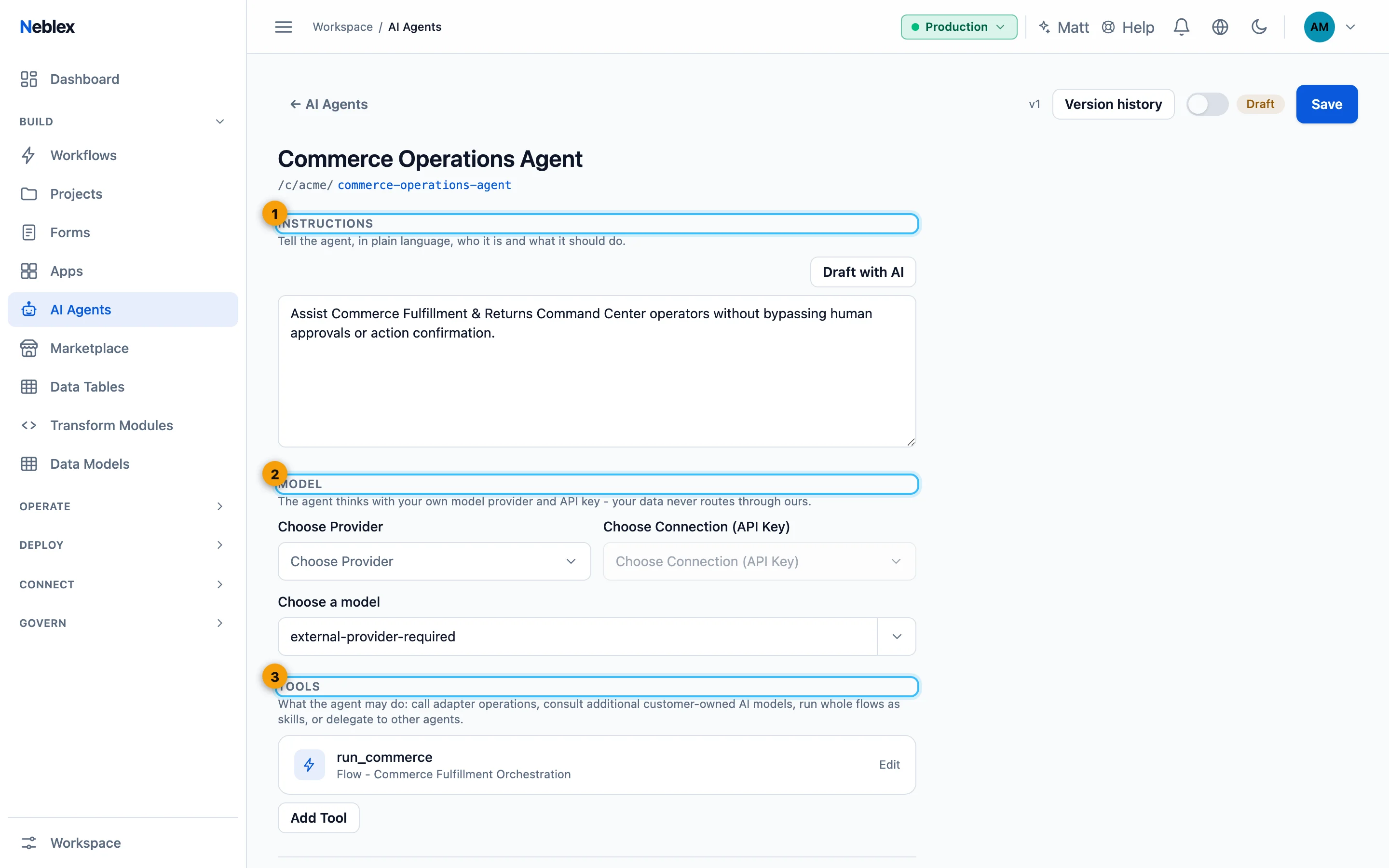
- Who the agent is and what it does; Draft with AI helps.
- Your own provider connection and model.
- What the agent may do; each tool can require human approval.
Tools
| Tool | What it lets the agent do |
|---|---|
| App Action | Run one operation of a connected system (look up an order, post a message). |
| Additional AI Model | Ask a second model for a specialist task, with its own provider, connection and optional instructions. |
| Flow as a Skill | Run one of your flows end to end, with its retries, error handling and audit. |
| Specialist Agent | Delegate to another of your agents. |
| Database | Write and run its own SQL on a database connection, limited by Access level: Read-only, Read & write, or Full (including schema). |
| Knowledge Search | Answer from your own documents stored in your own vector database. See below. |
| Long-Term Memory | Remember facts about each user across conversations. See below. |
| Remote Agent (A2A) | Hand a task to another organization's agent over the open Agent2Agent protocol (HTTPS only). |
| Browser (Web RPA) | Operate a website with no API, limited to sites you allow. See below. |
Every tool has an optional Tool name, a description that helps the model choose it, Require human approval (the action waits in Approvals until a person approves it), Act as the requesting user (pins an argument to the signed-in person's email, id or name, so a "reset my password" tool can only act for the person asking), and Tool runs on (where the agent runs, or an On-Prem Worker or cluster to reach private systems).
Knowledge Search: answer from your own documents (RAG)
Knowledge Search grounds the agent in your content without copying it into the platform. You provide an embedding provider and a PostgreSQL database with the pgvector extension that you own. At answer time the agent finds the most similar passages in your table.
Click Set up RAG / Knowledge on the AI Agents page (or Start setup wizard on a Knowledge Search tool). The wizard shows prerequisites first, keeps your choices visible, tests each connection and reports progress until a final ready confirmation.
- Embedding. Choose or create the embedding provider connection and model, for example
text-embedding-3-small. - Database. Choose or create the PostgreSQL connection. A managed pgvector database needs nothing else. For your own server, add an SSH connection (password or private key, optional sudo password), test it from the cloud or an On-Prem Worker, and enter the network range allowed to reach PostgreSQL.
- Check the prerequisites. Fresh installs support Debian 11 to 13, Ubuntu 22.04 and 24.04, RHEL, Rocky and AlmaLinux 8 to 10, and Fedora 43 and 44; an existing Windows PostgreSQL 13 to 18 is supported through OpenSSH. The SSH user must be root or allowed to use sudo.
- Source and loader. Choose where the documents come from (a connection and its list or search operation). Sensible defaults are provided for ids, content, refresh interval, chunk size and overlap; Advanced manual configuration is there only when you need it.
- Watch and confirm. The wizard reports each stage. If a step fails, the message names the missing prerequisite and Resume continues from there.
Setting up your own server changes that server. It installs packages from the official repositories, enables TLS and pgvector and creates the schema. It does not change your firewall, backups or monitoring, and it refuses an unrecognized existing PostgreSQL installation. The database password stays in its encrypted connection.
The loader the wizard creates is an ordinary flow you can open, change, export and audit. It keeps the vectors in step with the source and removes outdated passages only after a successful write. Manual tool settings (embedding provider and model, table and columns, Passages to return 1 to 50, vector size, sync interval, chunk size and overlap) remain available on the tool.
Other vector stores (SQL Server 2025 and Azure SQL vector search, Qdrant, Weaviate, Pinecone) are available as adapters: build an embed-and-search flow and give it to the agent as Flow as a Skill.
Long-Term Memory
- Per user: memories are tied to the signed-in person (Remember per email, user id or name). Nobody reads another person's memories, and anonymous visitors get none.
- Bounded: duplicates are merged, Max memories per user [200] caps the store, and Expire after (days) removes old ones.
- Yours: stored only in your own database. Create Memory Store creates the table.
Browser (Web RPA)
Provide a WebDriver endpoint (a W3C WebDriver server such as chromedriver or Selenium, typically on an On-Prem Worker host) and the Allowed sites, one origin per line. The agent composes steps (open a page, type, click, wait, read a value) in a fresh browser session that is always closed afterwards. The allowed sites govern navigation only: opening a page outside them is blocked, but resources the allowed pages load themselves (scripts, images, styles and requests to other sites) are not. Max actions per run caps the work, and Require human approval lets a person confirm first.
Share & Appearance
Access: Private (workspace members), Secret link, or Public (anyone with the URL). Set a Greeting, Input placeholder and up to four Suggested questions. Copy URL, New Secret Link, Revoke link and Copy chat button (an embed snippet for your website). The hosted chat always serves the published version, so you can keep editing a draft.
Channels: Slack, Teams and Voice
- Slack: your Slack app's workspace ID, signing secret and bot token. The agent replies in threads.
- Microsoft Teams: your Azure Bot's App ID, app password and tenant ID. Messages are verified before the agent runs.
- Voice: choose a call transport (Twilio, Azure Communication Services, Amazon Connect/Chime, or Browser WebRTC), speech-to-text (Deepgram, Azure Speech, Amazon Transcribe, or your own Whisper-compatible endpoint) and text-to-speech (Azure Speech, Amazon Polly, ElevenLabs, or your own Piper/OpenAI-compatible endpoint), with region, language, voice and keys. Copy the media-stream address (and for Twilio the TwiML) into your provider. Callers can interrupt the agent mid-sentence.
Save the agent before adding a channel. Channel secrets are encrypted and never shown again; to change one, remove the channel and add it again.
Advanced settings
Runs on (cloud, an On-Prem Worker or a cluster), Max turns (1 to 50), Temperature (0 to 2, or the provider default) and Token budget per run.
Interoperate with other agents (A2A)
A published agent can be reached over the open Agent2Agent protocol: other platforms read its agent card and call its endpoint, subject to its access setting (a secret-link agent needs its token; a private agent is never exposed). The agent card is at https://if.neblex.com/agent/<workspace>/<agent>/.well-known/agent.json and the JSON-RPC endpoint at https://if.neblex.com/agent/<workspace>/<agent>/a2a.
Versions and lifecycle
Every saved version is kept. Version history restores an earlier configuration as a new version. Flows and apps pin the exact published version they use, so editing an agent never silently changes them. Deleting moves an agent to Trash, and an agent still used by a flow or app cannot be deleted.