WebAssembly for AI agents and workflows
By Maria Soria, Manager of Customer Success
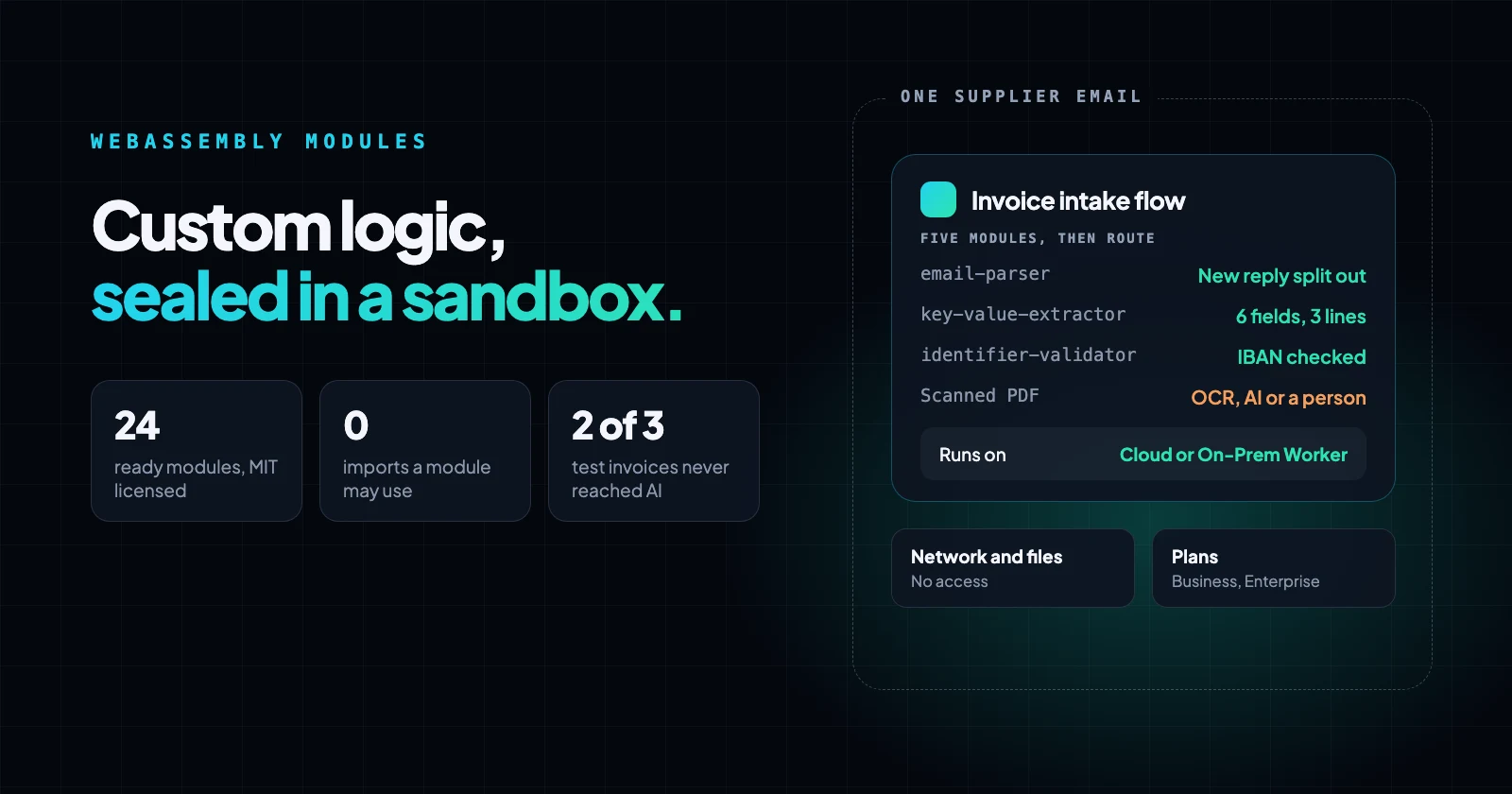
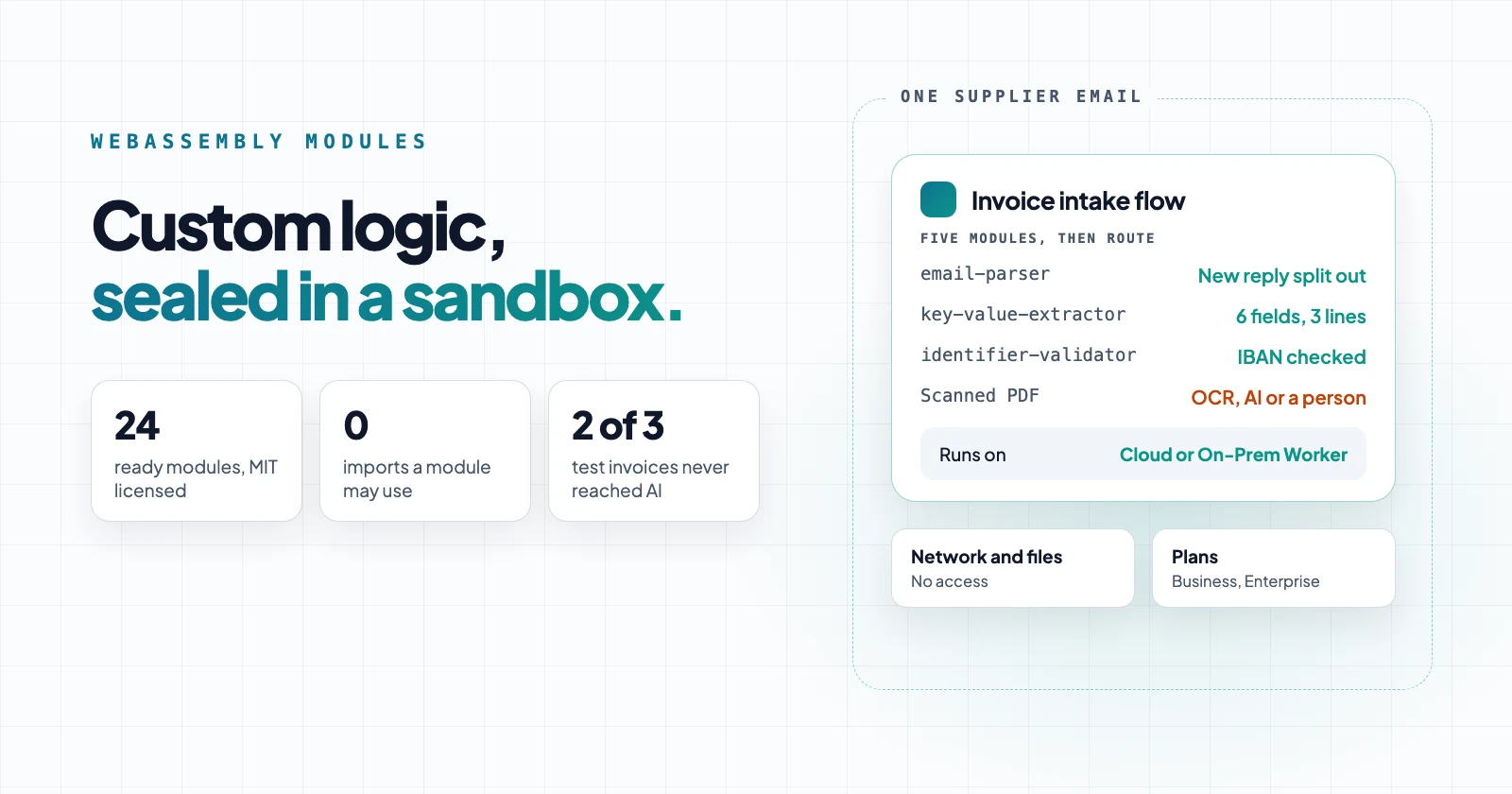
They cover jobs that go past the built-in steps: separating the new reply in an email thread from the quoted history and signature, pulling labeled fields and line items out of invoice text, reading mainframe files with header, detail and trailer lines, splitting a GS1 barcode scan, or redacting the names you list before text reaches an AI model. Flows run them as steps, and AI agents can call them as tools. Each one is tested, MIT-licensed, and on GitHub.
Where do built-in steps and scripts stop?
Built-in steps read JSON, CSV, XML, Excel and simple fixed-width files, pull the text out of PDF and Word documents, turn HTML into plain text, check IBANs and barcodes, and mask personal data. Rhai functions handle rules for single values. Past that, for a layout or format no step reads, you need a parser, which is more than a script can handle.
This is where the built-in steps stop for the inputs these modules handle:
| Input | What the built-in step does | Module |
|---|---|---|
| Fixed-width file with header, detail and trailer lines, implied decimals or COBOL signed numbers | The Read file step's fixed-width format reads one column layout for every line, as text | fixed-width-parser |
| CSV export with a title row or totals rows around the data | The Read file step takes any separator, but a title row above the header stops it with "row has too many fields" | csv-cleaner |
| An email thread where only the new reply matters | The When an email arrives trigger returns the whole text, quoted history and signature included | email-parser |
| Labeled values and line items in document text, such as "Invoice No:" | Edit text can match one pattern per field; no step reads labeled fields or tables | key-value-extractor |
| Street addresses, units of measure, server logs | No built-in step | address-standardizer, uom-converter, log-parser |
Use a built-in step whenever it works. Use a module for anything the built-in steps can't handle.
What kind of custom logic?
| Need | Use |
|---|---|
| A rule on one value: a date format, a decimal separator, a match key | A Rhai function |
| A whole document or format the built-in steps don't read: an email thread, invoice fields, a mainframe file | A WebAssembly module |
| An existing script in any language, or logic that needs files or the network on your own server | A script run over the SSH connector |
Modules and Rhai run sandboxed inside Neblex. If you run a script over SSH, it runs on your own server and uses that server's access and permissions.
Why run custom logic as a sandboxed WebAssembly module?
A module can only do what its host allows. In Neblex, that means it can only transform JSON.
Each WebAssembly module runs in a sandbox separated from the host and can't leave it without going through the host's APIs. A module reaches those APIs only through its imports: a list of host functions, such as reading a file or opening a connection, that it asks for and the host passes in when the module starts.
Neblex only accepts modules that don't request any imports. Our modules have no imports, and we check this before every release. This means a module can't access the network, file system, clock, or environment. It receives the step's records as JSON and returns JSON. The runtime gives it memory only from what the machine has to spare, shares the CPU fairly with other work, and stops it the moment its run is cancelled.
A module never stores secrets. It doesn't need a connection, so there are no passwords or API keys inside it to leak. Its memory is separate from the runtime's memory, so a module can't read other records or the connection details used by other steps. If it fails, the step reports the error and nothing outside the module is affected.
The same module file works in both the Neblex cloud and on On-Prem Workers. This lets you parse records from internal systems inside your own network. Our post about what leaves your network explains the runtime details.
Modules work like native shapes
After you upload a module, it appears in the flow builder's shape palette next to the built-in shapes and looks the same. Any flow can add it as a step, and any agent can use it as a tool, without needing to set up connections or credentials. Upload it once, and every flow and agent in your workspace can use it.
An AI assistant connected to the Neblex MCP server sees an uploaded module as a native shape and can add it to flows and agents for you. That's how we built the flow in the example below.
The library: WebAssembly modules by job
The modules are written in Rust and use rules, patterns, and check digits. Their results are consistent and free per record. Each module processes the record and adds its results as new fields, so later steps can filter or route based on them.
This sample of modules reads documents, cleans files and checks data:
| Module | What it does |
|---|---|
| email-parser | Splits a raw email into sender, recipients, subject, thread IDs, body and attachments, and separates the new reply from the quoted history and signature |
| pdf-to-json | Extracts the text and metadata from a text-based PDF |
| key-value-extractor | Pulls labeled values and aligned tables out of document text, typed as text, numbers, amounts or dates |
| csv-cleaner | Reads messy CSV exports: detects the delimiter, header row and decimal style, and skips title and totals rows |
| fixed-width-parser | Reads fixed-width files, including header, detail and trailer lines, implied decimals and COBOL signed numbers |
| identifier-validator | Validates IBANs, EU and UK VAT number formats, GTINs, US routing numbers and LEIs |
| pii-redactor | Replaces emails, phone numbers, card numbers, IBANs and names you list with placeholders before text reaches an AI model or a log |
| json-repair | Fixes almost-JSON from AI models, such as code fences, trailing commas and cut-off output, and lists each fix |
Other modules can read calendar invites, contact cards, server logs, XML, and YAML files. They can also convert units of measure, parse GS1 barcode scans, and compare records. You can find the full, current list and a sample input for each module in the GitHub repository.
Worked example: a supplier invoice email
Five modules convert a raw supplier email into an invoice record for the ERP. Anything they can't read is sent for review.
In our test, a supplier's accounts receivable contact sent three invoices to an accounts payable inbox. Each invoice was a reply with a PDF attached. The flow ran these steps on each email:
- email-parser splits the message. The new reply ("Invoice INV-24-0417 for PO 45-1180 is attached. Payment is due by 10 December.") comes out apart from the signature and the quoted request, and, with its include_attachments option on, the PDF comes out as base64.
- pdf-to-json reads the PDF's text layer.
- key-value-extractor finds the fields you list, under the labels they appear with, and reads the line-item table.
- identifier-validator checks the IBAN's check digits.
- pii-redactor replaces names, email addresses and phone numbers in the reply text before an AI step or a log sees it.
Three of these jobs also have built-in steps: Read document reads a PDF's text, Edit text can check an IBAN, and Mask personal data redacts the common kinds of personal data. In your own flow, either works. Splitting the reply from the thread and reading the labeled fields and line items are the two jobs only the modules do here.
The fields for step 3 are set as a configuration, not as code. Here are the _options we mapped, next to the document text:
{
  "fields": {
    "invoice_number": ["invoice no", "invoice number"],
    "invoice_date": { "labels": ["invoice date"], "type": "date" },
    "due_date": { "labels": ["due date"], "type": "date" },
    "po_number": ["po number", "purchase order"],
    "total": { "labels": ["total due", "amount due"], "type": "amount" },
    "iban": ["iban"]
  },
  "date_order": "dmy",
  "tables": true
}The three emails came out like this:
| What the modules returned | Route | |
|---|---|---|
| INV-24-0417 | All 6 fields (invoice date 2026-11-10, due date 2026-12-10, PO 45-1180, total 511.70 EUR), 3 line items, IBAN valid | Straight to the ERP |
| INV-24-0418 | The same 6 fields and 3 line items; IBAN "check digits do not match" | Review |
| INV-24-0419 | A scanned PDF with no text layer: has_text false, no fields | OCR, an AI step or a person |
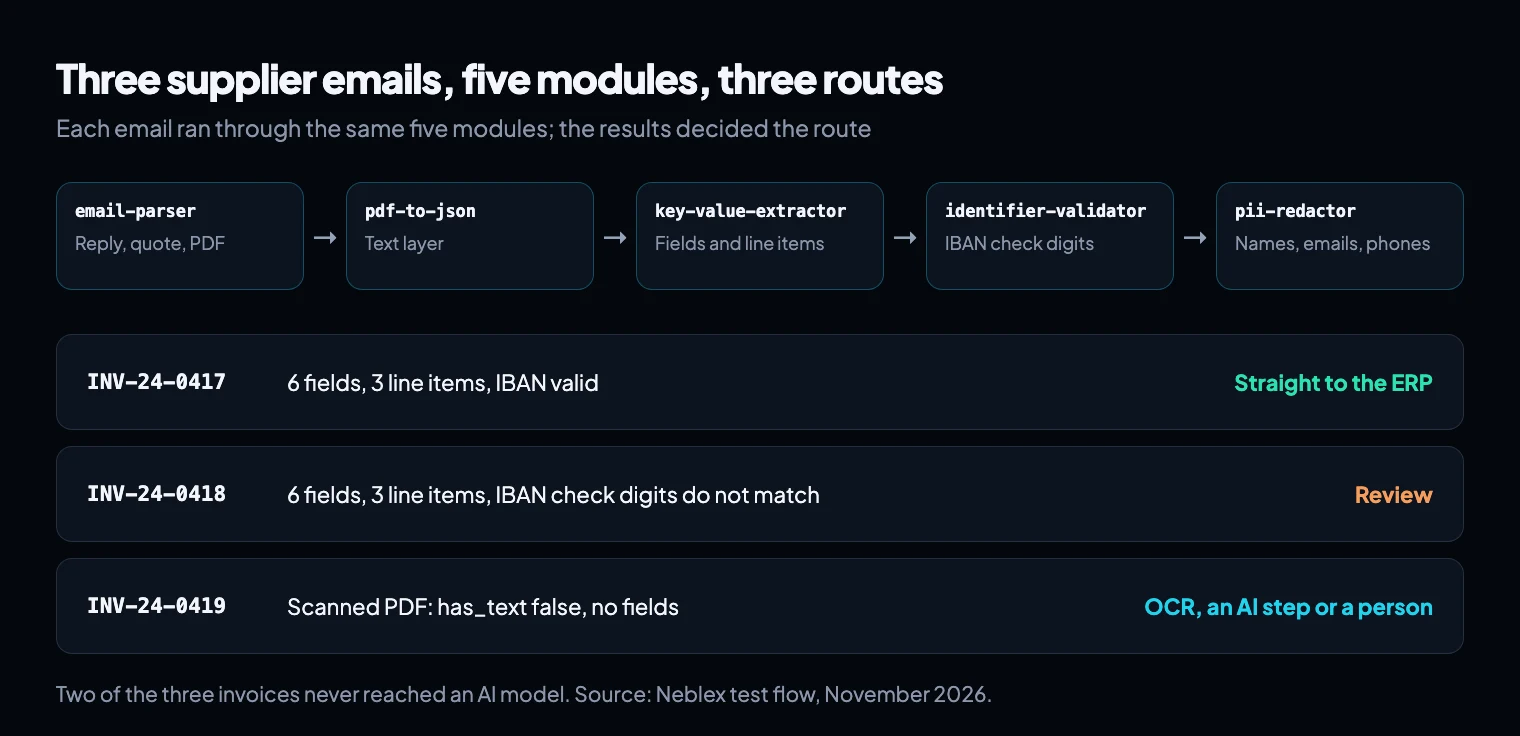
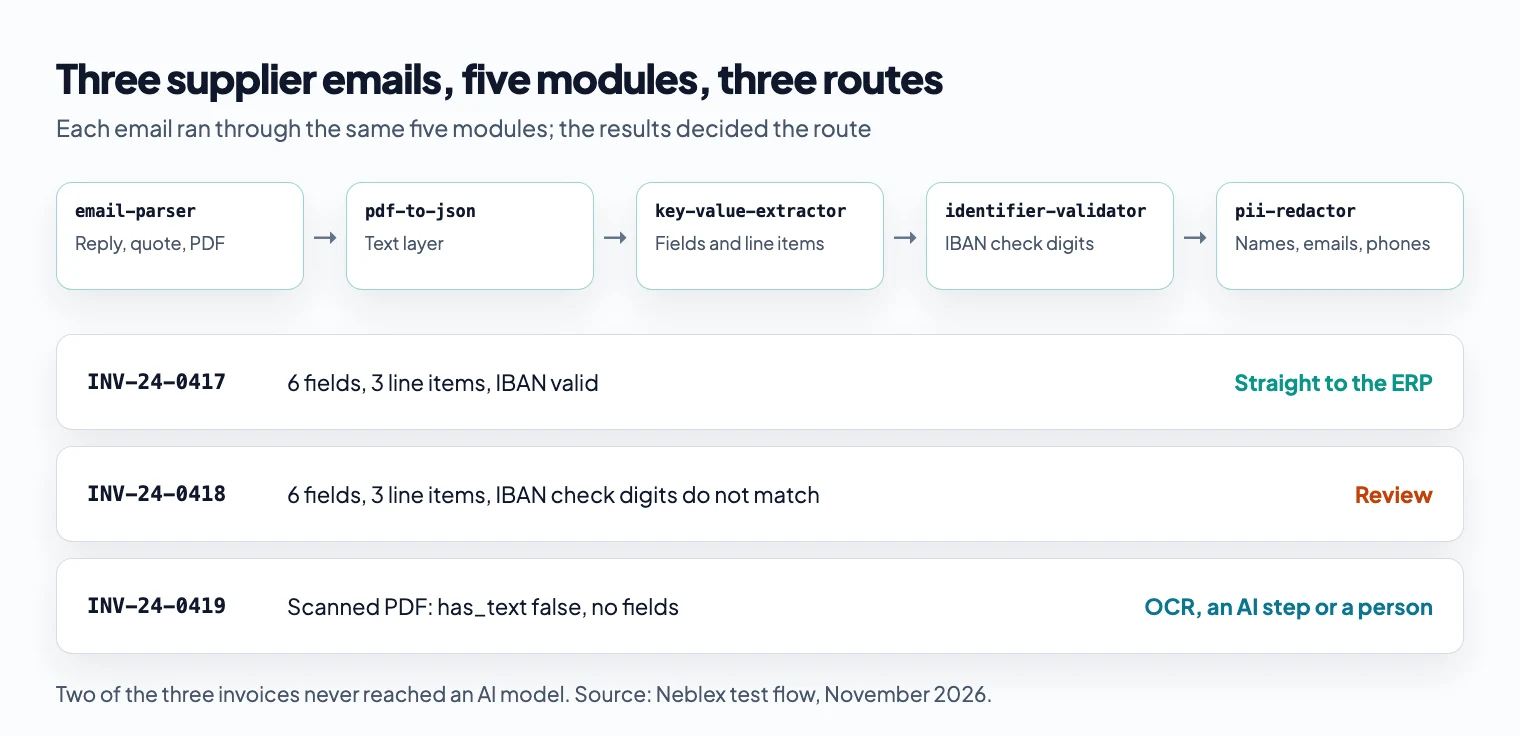
The second invoice had two digits in the IBAN swapped. IBAN check digits catch every single mistyped character and nearly every swap of two nearby characters, so the module stopped it before a payment run could use it.
Why run a module before an AI step?
Most documents follow rules, and using a rule is cheaper, faster, and more predictable than using a model. Only send a document to AI if the rules can't read it.
A module, compared with an AI step on the same document:
- It costs nothing per record, while a model is billed for every call.
- It returns in well under a second, with the same answer every time.
- It runs inside the sandbox, and if you use an On-Prem Worker, the document stays within your network.
- It says what it couldn't read, in fields such as missing and has_text, so the flow knows exactly which documents need AI.
In the example above, two of the three invoices never reached a model. Put the modules first, and the AI step only sees the scanned invoice and the odd layout. When it does run, pii-redactor can remove personal data from the text before the model sees it.
How to use a WebAssembly module in a Neblex flow
Sandboxed modules are included in the Business and Enterprise plans.
- Get a .wasm file by downloading one from the latest release or building your own, as described below. You aren't limited to the library.
- In Neblex, open Custom Integrations, choose Add Sandboxed Module and upload the file. Neblex validates it before saving.
- In a flow, add the module from the shape palette and select its Run module operation. It doesn't need a connection. Map the fields it should read, along with any settings under
_options. Each library module's test/sample.json shows a complete input.
If your security team reviews third-party code, each release provides three ways to check a file:
- A SHA256SUMS file to confirm the download.
- A signed build attestation that shows where and how the file was built, checked with
gh attestation verify. - Reproducible builds: building the tagged source with
./build.shgives a byte-identical file.
Can an AI agent use a WebAssembly module?
Yes. In Neblex, an AI agent can use a module as a tool, just like it uses a connector operation. The agent receives the module's JSON answer instead of generating it itself.
Use a module with an agent for questions that have one exact answer:
- identifier-validator: is this IBAN, VAT number or barcode well formed?
- uom-converter: how many cases are in three pallets of this product?
- gs1-barcode-parser: what are the batch and expiry date in this scan?
A model can make mistakes with check digits and unit arithmetic, and two runs might give different answers. A module always gives the same answer and costs nothing per call.
Place two modules in the flow around the agent instead of among its tools. Run pii-redactor before the agent sees the text to keep personal data from reaching the model, and run json-repair after it so the next step gets valid JSON.
Extend Neblex with your own WebAssembly modules
Modules let you extend Neblex yourself. If a flow needs a format, check, or rule that no shape covers, you don't have to wait for it to be added. Describe the format or rule to an AI coding assistant, and it can write, test, and build the module from our template. Upload it, and it appears in the shape palette next to the built-in shapes.
This approach handles work that would otherwise require a separate service or custom code:
- A file layout only your legacy system writes, or a partner's export format.
- A checksum, numbering scheme, or validation rule from your industry.
- Pricing, tax, or allocation logic you already have in code, compiled once and reused by every flow and agent.
- Logic that has to run next to the data, on an On-Prem Worker, instead of in a cloud service.
To create one yourself, copy the template folder and replace its transform function. The template already follows the rules for a Neblex module: no imports, and exports named memory, alloc, and invoke that handle JSON in and out. The repository README explains these rules in detail.
Neblex checks only the compiled file, not the language it was written in. We write our modules in Rust, but code you have in C, C++, or Zig can usually be compiled into a module the same way.
The repository includes scripts to build a module and test it on sample data before you upload it.
What can go wrong
- PDFs and exports can vary more than they seem. Test a module on a sample of your own documents before relying on it.
- Some invoice layouts won't match the labels you set. key-value-extractor lists any field it can't read under missing, so the flow can send that document to an AI step.
- A module checks the format, not the facts. A valid IBAN might still not be the supplier's account, so always compare bank details with your vendor master.
- pii-redactor looks for patterns and the specific names you provide, but it won't catch every name in free text. Use it as just one layer of protection.
The takeaway
When a flow or AI agent needs logic that isn't covered by a built-in shape, you can add it with a WebAssembly module. These modules don't get access to anything else. You can use one from the library or create your own. Once you upload it, it works like a native shape in every flow and as a tool for every agent. Let rules process the documents that follow them, and only send flagged items to an AI step or a person.
Sources
- Security, WebAssembly.org
- WebAssembly concepts, MDN Web Docs
- International Bank Account Number, Wikipedia (check digits per ISO/IEC 7064)
- neblex-wasm-modules, GitHub (release v0.7.0)
Last checked: November 18, 2026.
Frequently asked questions
What is a WebAssembly module in an integration flow?
A WebAssembly module is a small compiled file that a flow step uses to transform data. Neblex sends the step's records to the module as JSON and uses the JSON it returns as the step's output. This lets a module parse formats or check rules that built-in steps don't handle.
Can a WebAssembly module call an API or read a file?
No, not in Neblex. Modules are uploaded without imports, so they can't access the network, file system, or host. They can only work with the JSON they receive. If you need to call other systems, use connector steps.
Should I use a WebAssembly module or an AI step to read documents?
Start with rules: a built-in step where one fits, a module where it doesn't. Rules read documents that follow them without any cost per record, always give the same answer, and let you know what they couldn't read. Only send documents like scanned PDFs or unusual layouts to an AI step.
Can an AI agent call a WebAssembly module?
Yes. A Neblex agent can use a module as a tool and work with its JSON answer. This is useful for questions with a single exact answer, like checking if an IBAN is valid or counting how many cases fit on a pallet. Modules that protect the model's input or fix its output, like pii-redactor and json-repair, should be placed in the flow around the agent.
Can an AI assistant build a WebAssembly module?
Yes. An AI coding assistant can write, test, and build a module from the template. You then upload the .wasm file to Neblex. If the assistant is connected to the Neblex MCP server, it can add the module to flows and agents like any other native shape.
Which Neblex plans include WebAssembly modules?
Sandboxed modules are included in the Business and Enterprise plans. The modules in the library are free to download and use under the MIT license.
Bring us the product or the integration that hurts most
We will build it with you, on your data, with the run log open.