Replay from the failed step, not from record one
The morning-after problem
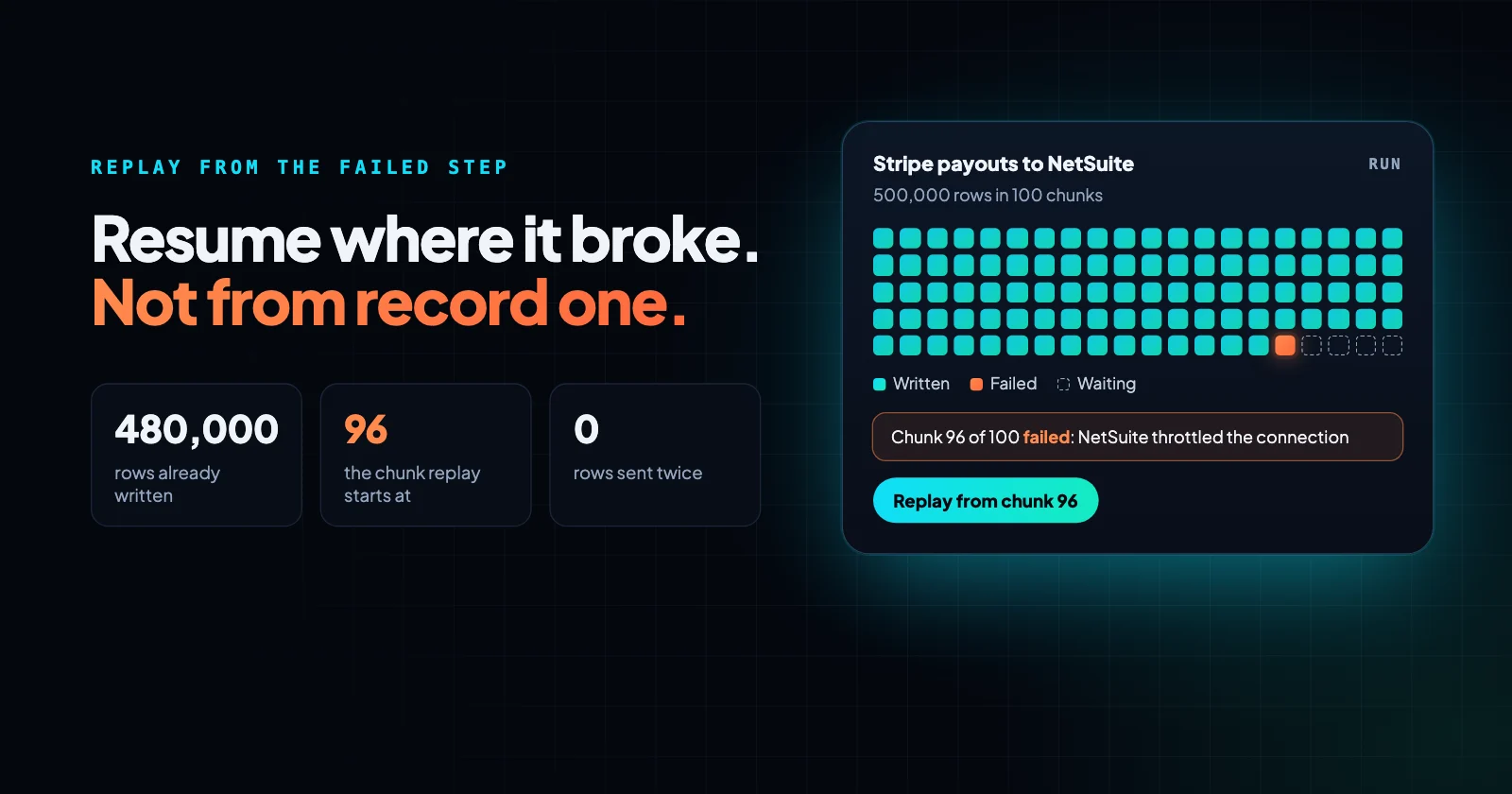
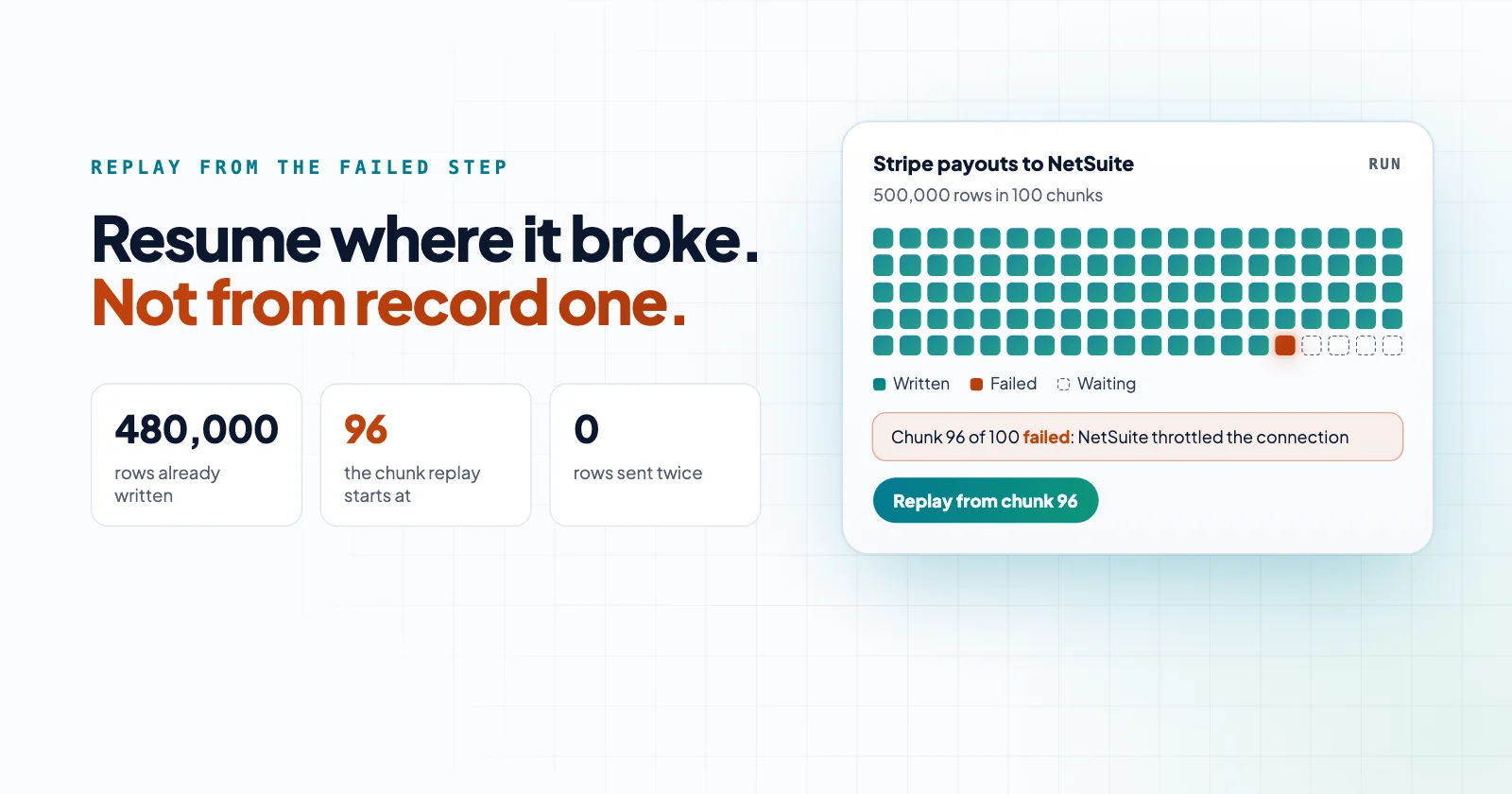
Every integration platform can move a record from A to B. The difference shows up the morning after something broke overnight. A payout file with half a million rows failed at row 480,000 because the ERP rate-limited the connection at two in the morning. Now someone has to decide: rerun the whole job and hope the first 480,000 rows are safe to write twice, or hand-pick the tail and load it by hand.
Both options cost a day. The first one also risks doubled journal entries, which is a far worse problem than a late one.
What replay actually requires
Resuming from the failed step sounds like a feature toggle. It is closer to an architecture decision, and it has three parts.
- Checkpoints inside the run. Bulk steps process records in chunks and record where each chunk ended. A restart reads the last checkpoint and continues from there, so the 480,000 rows that already landed stay untouched.
- An event-sourced run history. Every step records what it received and what it produced. Replay does not re-fetch the source and hope it looks the same; it continues from the recorded inputs, so a replay the next morning sees the data from the night before. Failed runs keep that data for a set number of hours, so replay is a same-day or next-day tool.
- Idempotent writes where the target supports them. For connectors that accept an idempotency key, such as Stripe, turn on Idempotency key for the step, and a retried step sends the same key, so it never double charges or double books. Where a target has no such key, the platform stays cooperative rather than promising exactly-once delivery it cannot deliver.
Neblex Integration Fabric was built around those three. Bulk data processing covers the chunking and checkpoints, and workflows covers the run history and replay.
A worked example: Stripe payouts into NetSuite
The Stripe to NetSuite integration is a good case because the volumes are real and the target is strict.
- Trigger. Stripe sends a payout paid event to a Webhook trigger that Neblex registered with Stripe. The flow starts with the payout already in hand.
- Fetch. The flow pages through the balance transactions behind that payout.
- Transform. Each chunk becomes journal lines with the fee, the net, and the currency conversion split out.
- Write. NetSuite receives the journal lines in chunks, and each chunk is recorded as it lands. If the connection is throttled, Retry on failure tries again with backoff. If it fails for good, the run stops with the chunk recorded.
- Replay. Someone opens the run, sees chunk 96 of 100 failed, fixes the cause, and replays. The step continues from chunk 96; chunks 1 to 95 are not sent again.
The finance close still happens on time, and nobody reconciles the same payout twice.
What this means for a finance team
The practical change is not speed. It is that a failed integration becomes a bounded task with a known size, instead of an investigation. The run history says which step failed and why, and the fix is to replay from that step.
That is also why we treat the audit trail as the product, not a report on the product. See what we believe for the longer version.
Frequently asked questions
Does replay re-read the source system?
No. Replay uses the inputs recorded on the original run, so it reproduces what the flow saw at the time, as long as the failed run's data is still kept. If you want fresh data instead, you start a new run.
What happens if the target does not support idempotency keys?
The flow still checkpoints and resumes from the failed chunk, so the already-written records are not resent. For targets without a key, dedup logic in the flow, such as matching on an external ID before writing, does the rest.
Can a person approve the replay first?
Not as a separate step. A replay starts as soon as someone allowed to run the flow presses it, and approval steps that already passed are not asked again. Use permission profiles to limit who can replay, and put the controller's approval in the flow before the ERP write. See business process management.
Bring us the product or the integration that hurts most
We will build it with you, on your data, with the run log open.