On-prem integration runtime resource usage: memory, CPU and disk, measured
By Adan Potyondy, Head of GTM
The question IT and security teams ask first
A request we hear often from prospects is to move data from a database inside their network to a cloud warehouse, on a schedule, without opening that database to the internet. That means installing software inside the network: an agent or a runtime. Before anyone discusses the warehouse, IT and security teams ask what that software will cost their servers and what it can reach.
The usual answer is a page of minimum requirements. We wanted to answer with measured numbers, so we ran the On-Prem Worker through a week of tests, from small event flows to million-row loads, and recorded what it used. This post gives the numbers, the method and the limits.
This post answers the first question for a local runtime. What the runtime sends out of your network, and what happens when the internet drops, are covered in a separate post.
How we measured on-prem integration agent resource usage
All tests used synthetic or test data, generated by us, on our own hardware, between October 2 and 8, 2026.
- Deployments: we ran the runtime two ways, as a background service and in a container capped at 4 CPU cores and 4 GB of RAM. The test machine also hosted the PostgreSQL, Valkey (an open-source, Redis-compatible cache) and Kafka instances it read from and wrote to, so the runtime competed for memory more than it would on a dedicated server.
- The workloads: 15 flows deployed to the runtime (events, files, CRM syncs and database loads); a 1 million row load from a local PostgreSQL database into a cloud database, with data-quality checks and masking; fuzzy duplicate matching over about 970,000 records; and, to isolate the effect of batch size, a plain copy from PostgreSQL to Valkey at 1,000 to 5 million rows.
- The tools: standard process tools sampled the runtime's memory and CPU every half second, and the container's own memory statistics separated process memory from file cache. Start and finish times came from the runtime's log, and the 15 flows' averages came from the Neblex console.
Your records, connectors and hardware will shape your own numbers; the patterns are what carry over.
What does the runtime use when it's idle?
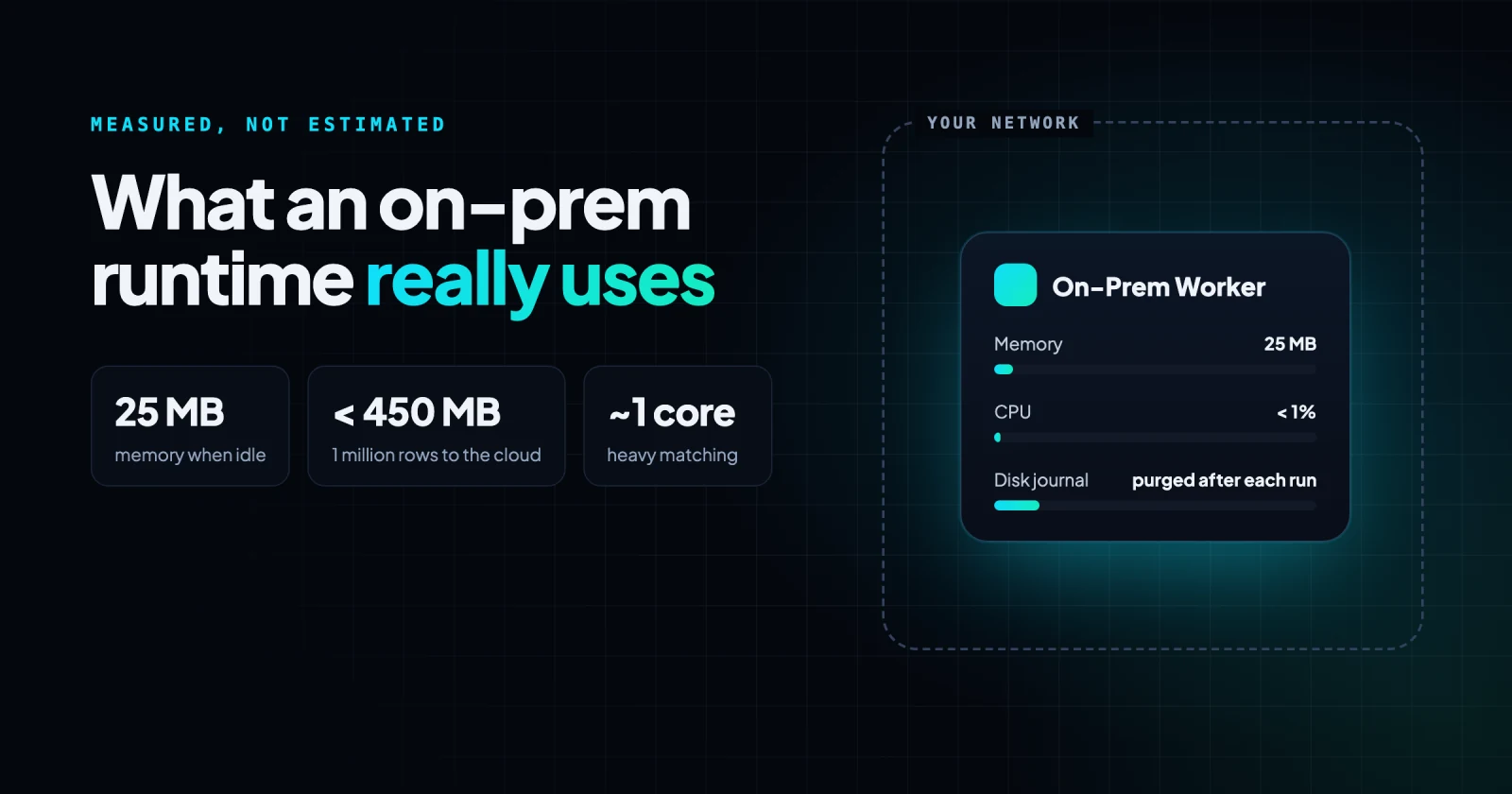
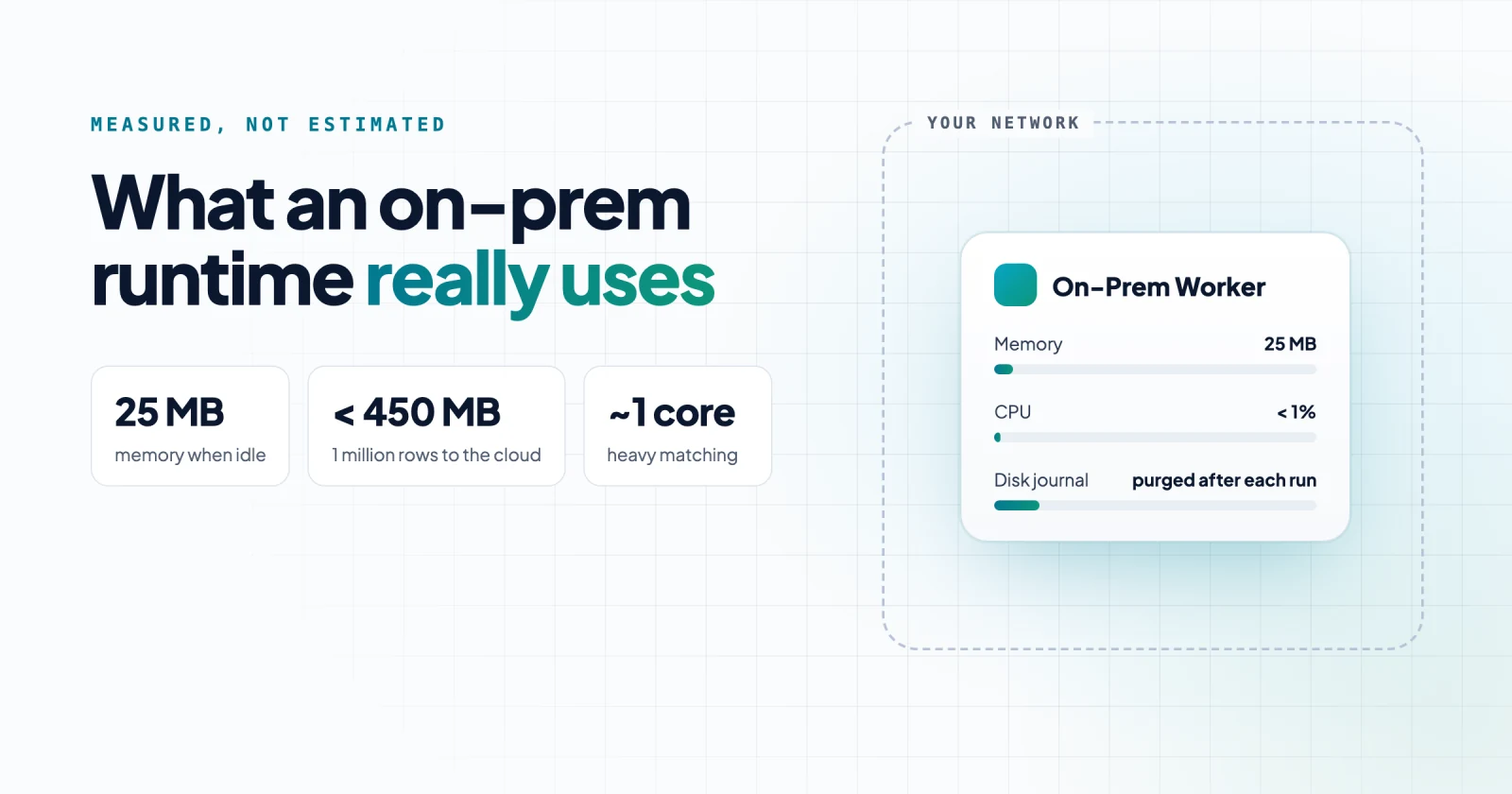
Very little. The runtime is a single executable, about 74 MB on macOS and 92 MB on Linux x64.
It needs no separate language runtime, such as Java, .NET or Node.js, and it starts no child processes. Builds are published for Linux x64, macOS on Apple Silicon and Windows x64.
| Measure (idle) | Value |
|---|---|
| Install | One executable, about 74 MB (macOS) or 92 MB (Linux x64) |
| Runtime's own memory | 22 to 27 MB |
| Resident memory (RSS) | 27 to 35 MB |
| CPU | Under 1% of one core |
| Listening ports | One, reachable only on your local network, with no public IP |
For a security reviewer, the small number matters less than what it implies: there is no separate runtime to patch and no helper processes to account for.
What does the runtime use, by kind of flow?
It depends on what the flow does. Memory follows how much the flow holds at once, CPU follows how much it computes per record, and run time follows the destination.
| Kind of flow | What we ran | Runtime memory | Runtime CPU (one core = 100%) |
|---|---|---|---|
| Idle | Connected, no runs | 22 to 27 MB | Under 1% |
| Everyday flows | 15 flows: MQTT, Kafka and AMQP events, CRM syncs, file transfers, database loads | 29 to 94 MB average for 14 flows; 122 MB for one bulk load | 0 to 31% average |
| Load to a cloud database | 1 million rows, local PostgreSQL to a cloud PostgreSQL database, with checks and masking | Peak 320 to 445 MB; median 53 to 118 MB | 12 to 26% average |
| Local bulk copy | 1,000 to 1 million rows, PostgreSQL to Valkey | 41 MB to about 250 MB | About 22% average |
| Heavy computation | Fuzzy duplicate matching over about 970,000 records | Peak 534 to 947 MB (resident) | 93 to 102% average |
| One very large batch | 5 million rows | About 420 MB, plus 1.7 GB of journal on disk | 22 to 24% average; brief peaks near one core |
The sections below take each row in turn.
What do everyday flows use?
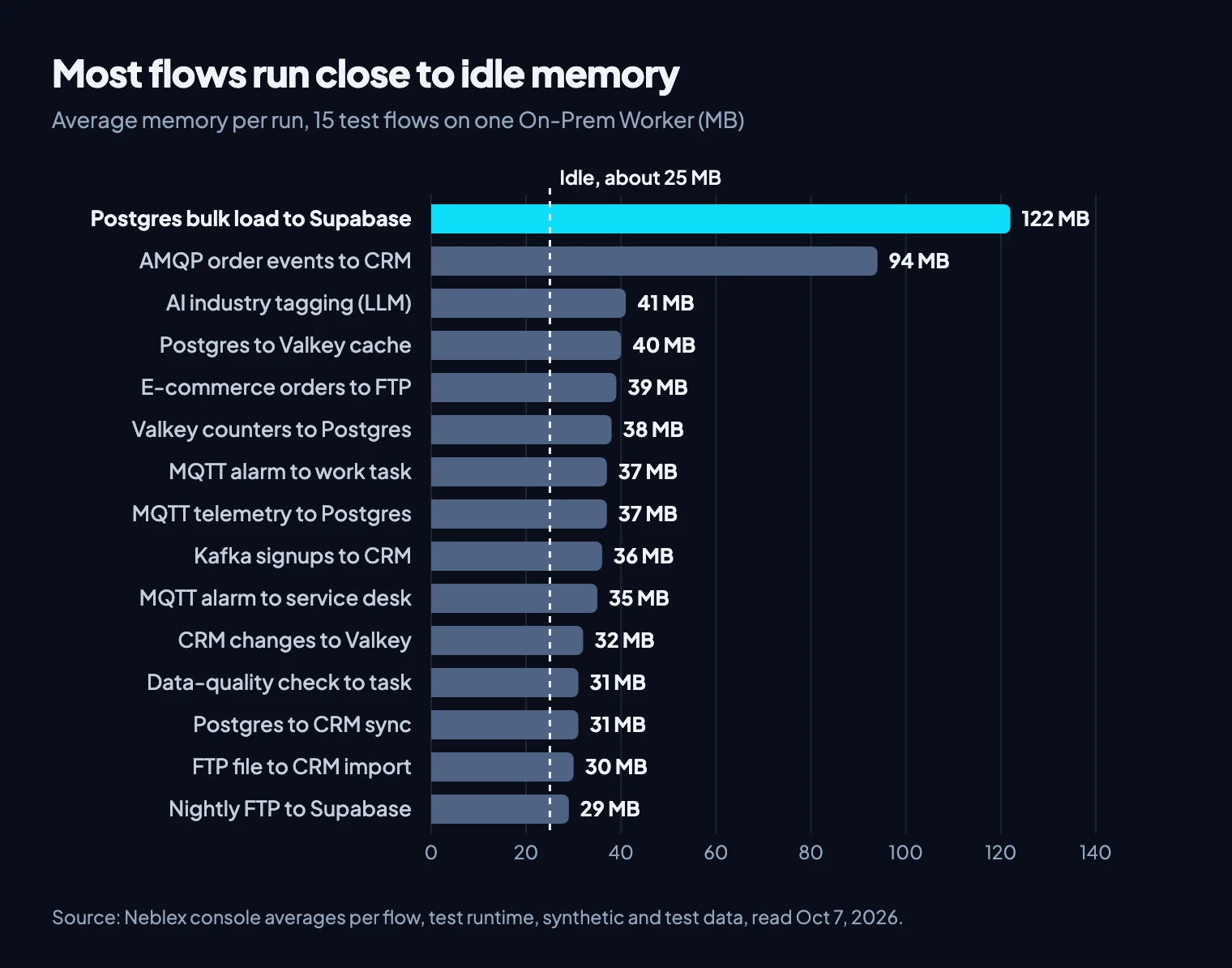
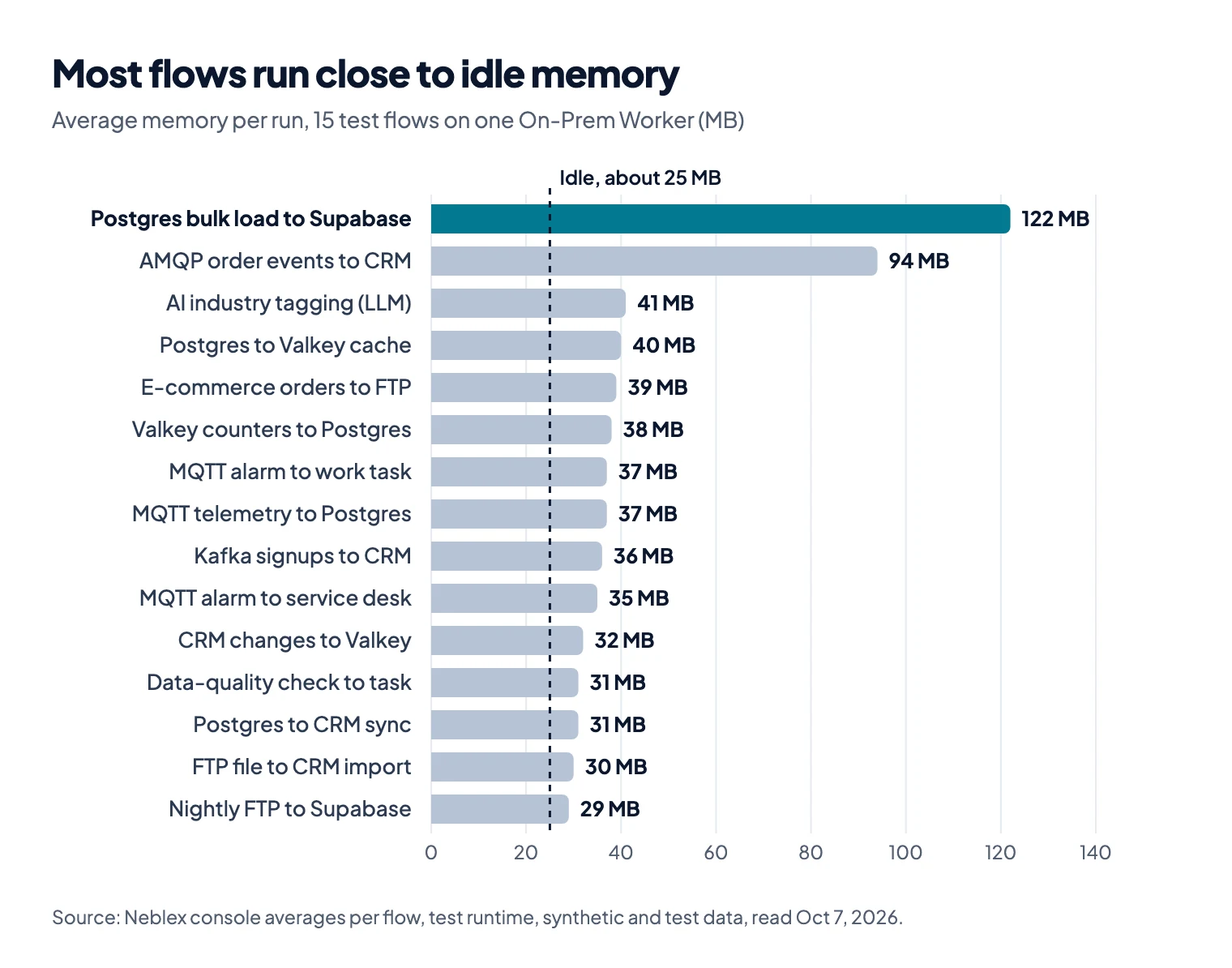
Most use about as much memory as the idle runtime. We deployed 15 different integrations to one On-Prem Worker, covering events, file transfers, CRM syncs, cache updates, database loads and an AI step, which gives a broad sample of how the runtime behaves. The Neblex console reports CPU and memory for each flow, averaged across its runs, on synthetic or test data. Run times come from the runtime's log, from start to finish of each successful run.
| Flow (what it does) | Avg CPU (one core) | Avg memory | Avg run time |
|---|---|---|---|
| Local Postgres customers to Supabase (bulk load) | 19.1% | 122 MB | Varies by batch size* |
| AMQP order events to CRM deals, with dead-letter queue | 4.3% | 94 MB | 0.4 s |
| Postgres customers: AI industry tagging with an LLM | 1.7% | 41 MB | 19.6 s |
| Local Postgres customers to Valkey cache | 30.9% | 40 MB | 8.8 s |
| E-commerce new order to CSV file on FTP (ERP handoff) | 2.1% | 39 MB | 0.7 s |
| Valkey usage counters to cloud Postgres daily usage, with quarantine | 26.8% | 38 MB | 3.0 s |
| MQTT machine alarm to work-management task, with quarantine | 5.5% | 37 MB | 1.2 s |
| MQTT plant telemetry to Postgres history, with quarantine | 6.1% | 37 MB | 0.9 s |
| Kafka signup events to CRM contacts, with dead-letter topic | 4.5% | 36 MB | 1.0 s |
| MQTT machine alarm to service-desk maintenance request, with quarantine | 4.7% | 35 MB | 1.4 s |
| CRM company changes to Valkey account cache | 4.3% | 32 MB | 0.5 s |
| Postgres customer data-quality check to work-management task | 6.1% | 31 MB | 1.4 s |
| Postgres new customers to CRM contacts sync | 1% | 31 MB | 0.4 s |
| FTP contacts file to CRM contacts import | 0% | 30 MB | 0.1 s |
| Nightly FTP contacts file to Supabase, with data-quality checks | 6.1% | 29 MB | 4.1 s |
*A 1 million row load took 402 to 1,240 seconds, from 5,000 down to 100 rows per insert statement.
Fourteen of the 15 flows averaged 29 to 94 MB, close to the runtime's idle memory. Only the bulk load from local Postgres went above 100 MB. The event-driven flows, reading from MQTT, Kafka and AMQP, averaged 4 to 6% of one core. Twelve of the 15 finished in under 5 seconds on average; the AI tagging flow's 20 seconds is mostly spent waiting for the language model, with CPU under 2%.
What does a 1 million row load to a cloud database use?
Less than 450 MB at its peak. Moving data from a database inside the network to a cloud database is the request we hear most, so we ran it at full size: 1 million synthetic customer rows from a local PostgreSQL database into a Supabase table, which is hosted PostgreSQL, over a home internet line (about 175 Mbps down and 44 Mbps up).
Each row went through four data-quality checks, and its email was hashed and its phone number cut to the last four digits before it left the machine. Rows that failed stayed in a quarantine table on the local network. We repeated the load four times, with 100, 1,000, 5,000 and 10,000 rows per insert statement.
- The runtime's own memory peaked at 320 to 445 MB across the four runs and spent most of each run near its median of 53 to 118 MB.
- CPU averaged 12 to 26% of one core.
- Every run loaded exactly 976,000 rows and kept 24,000 in local quarantine. The fastest took 402 seconds.
- The internet line was never the limit: uploads averaged about 5 to 7 Mbps of the 44 available.
A later post covers the checks, the masking and how batch size changed the timing.
What does heavy computation cost?
About one CPU core, and more memory. Comparing records with each other is a different kind of work from passing them through, so we ran fuzzy duplicate matching on the runtime: about 970,000 customer records, grouped by zip code, with names and streets scored for similarity inside each group. The candidate pairs stayed in a local table.
- First run, 970,000 records: 1,510 seconds. CPU averaged about 102% of one core, peaking at 217%, and resident memory peaked at 534 MB.
- Repeat with extra preparation, 976,000 records, on the same machine with the runtime running as a background service: 1,683 seconds. CPU averaged 93%, and resident memory peaked at 947 MB.
If you plan matching, scoring or heavy transformation on the runtime, size for this case rather than for the everyday flows.
Why the destination sets the pace
In every bulk run, the runtime spent most of its time waiting for the destination, not computing.
- We built the Valkey flow to write one record per command and wait for each reply, so the local copy ran at roughly 7,500 to 9,400 rows per second. Raising the flow's concurrency setting to 4 and then 64 didn't change that rate. That fits what Valkey's documentation on pipelining describes: when a client sends one command at a time, round-trip time is the limit.
- Inserting into the cloud database one row per statement took about 0.35 seconds per round trip, under 3 rows per second. Grouping thousands of rows into each statement brought the full 1 million rows down to under 7 minutes.
Reading was far faster than writing, so millions of rows were waiting to be written at once. The runtime absorbed that gap: its memory stayed flat while the waiting rows sat in its local run journal on disk, covered below.
For large loads, batching writes is the lever, with any agent or runtime. The reassuring part for a server owner is the other side of the same finding: a runtime that is mostly waiting uses little CPU.
How do memory and CPU change as the batch grows?
Memory grows with the batch the runtime holds at once; CPU stays low. To isolate batch size we used the plainest flow we had, a copy from PostgreSQL to a local Valkey cache.
| Rows in one run | Duration | Peak memory | Average CPU (one core = 100%) |
|---|---|---|---|
| 1,000 | about 20 s | about 41 MB (RSS) | not averaged |
| 100,000 | 12.3 s | about 121 MB (RSS) | about 23% |
| 1,000,000 | 106 s | about 250 MB* | about 22% |
*From a repeat 1 million row run on varied data (116.6 s), measured as the process's own memory including compressed pages.
The 1 million row run took 106 seconds, about 9,400 rows per second. The runtime held about 250 MB during the run and dropped to about 70 MB around 20 seconds after it finished. CPU averaged about 22% of one core at every size.
Where does a large batch live: memory or disk?
On disk. During a 5 million row batch, the runtime's own memory stayed flat at about 420 MB while it wrote the in-flight batch to its local run journal, about 1.7 GB or roughly 350 bytes per row.
The run journal is a durable local record of the batch that lets a run recover from an interruption. The runtime's logs describe it as hash-chained, sealed and flushed to disk.
The runtime purges it once the run is settled: after that run, its data folder went from about 1.7 GB back to about 1 MB. Neblex doesn't store your records; anything that must persist lives in your own database. Plan disk for the journal, roughly the size of the largest batch you expect to move.
How does the runtime allocate memory and disk?
It sizes itself to the deployment it runs in, rather than to a fixed setting. Installed as a service on a server it reads the machine's resources; in a container it reads the container's limits, not the host's.
- Memory sets how much work it accepts. At start, the runtime checks the memory available to it, including a container's limit, and sets how many jobs it will take on. The limit scaled with memory: on the larger test machine it allowed several times as many jobs as in the 4 GB container, and capped at 1 GB it accepted no work at first. CPU didn't change it.
- Disk holds what is in flight. It reserves disk for its run journal at start, from about 5 GB to about 25 GB depending on the deployment in our tests, and writes large in-flight batches there, so its memory stays flat while a slow destination catches up.
- The journal is emptied as runs settle, so the disk use is temporary.
For sizing, our tests ran comfortably within 4 CPU cores and 4 GB of RAM, and we treat that as the practical minimum for a production install. Add disk for the journal as described above. Published minimum requirements for the runtime are being finalized by our engineering team.
What to plan for when you size it
- Size for your heaviest flow, not the average. Everyday flows sit close to idle; matching, scoring and heavy transformation keep about one core busy and can approach 1 GB.
- Plan disk for the run journal, roughly the size of the largest batch you expect to move.
- Batch your writes. Throughput follows how the flow writes: one record per command waits on every round trip, while grouping rows per statement took a 1 million row load from an estimated four days to under seven minutes.
- Account for record size. Our test records were about 275 to 290 bytes; larger records raise memory, journal size and run time in proportion.
- Give it room. Capped at 1 GB, the runtime accepted no work at first; 4 CPU cores and 4 GB of RAM is a comfortable starting point.
Whatever on-prem integration agent you evaluate, measure its resource usage before and during a real job, and ask the vendor exactly what the agent sends out of your network.
Sources
- Neblex internal tests, October 2 to 8, 2026: synthetic data generated by Neblex, on Neblex hardware (a shared test machine, and a container capped at 4 CPU cores and 4 GB of RAM), with timings from the runtime's log and per-flow averages from the Neblex console.
ps(1)andfootprint(1)manual pages.
Last checked: October 7, 2026.
Frequently asked questions
How much memory does an on-premises integration agent need?
It depends on the agent and the workload. In our tests on synthetic and test data, the On-Prem Worker used about 25 MB idle, 29 to 94 MB on average for 14 of 15 everyday flows, and at most about 450 MB while loading 1 million rows into a cloud database. Heavy duplicate matching peaked near 950 MB. Our tests ran comfortably within 4 CPU cores and 4 GB of RAM.
How much disk does an on-premises integration runtime need?
Enough for its run journal. Large in-flight batches are written there and purged once the run settles; a 5 million row batch took about 1.7 GB, roughly 350 bytes per row. At start the Neblex runtime also reserves journal space, about 5 GB to 25 GB depending on the deployment in our tests. Plan disk roughly equal to your largest batch.
How much CPU does an on-premises integration agent use?
Less than most people expect, because it spends most of its time waiting for the systems it connects. In our tests, everyday flows averaged 0 to 31% of one core and a 1 million row cloud load 12 to 26%. Heavy computation is the exception: fuzzy duplicate matching kept about one core busy.
How do I measure an agent's memory correctly?
Sample the process while a representative job runs. On macOS, use the process footprint, because resident memory leaves out compressed pages. On Linux in a container, look at anonymous memory in the cgroup's memory.stat, because the container total includes reclaimable file cache.
Bring us the product or the integration that hurts most
We will build it with you, on your data, with the run log open.